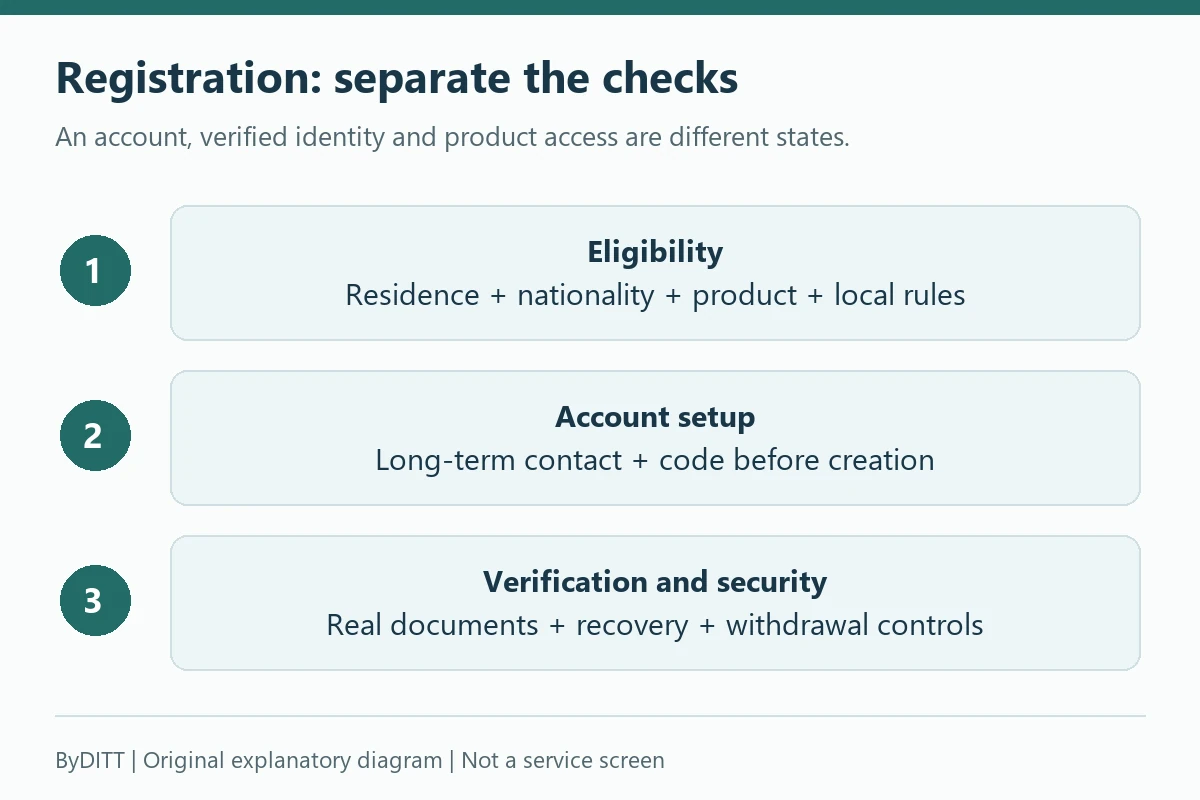
To register on Bybit, first check eligibility, then create the account, complete the required KYC and configure account security. Confirm that Bybit and the intended products are available in your jurisdiction, choose a recovery email you control long term, enter any referral code before account creation, complete the required identity verification and secure withdrawals before depositing.
Before you create an account
- Check Bybit’s current restricted-jurisdiction and product-availability information.
- Use the official website or verified app-store listing, not a link from an unsolicited message.
- Prepare an email address or phone number you expect to keep.
- Use a password manager to create a unique password.
- Prepare an original, valid identity document for the required KYC.
- Decide whether to enter an affiliate or referral code before completing sign-up.
Bybit’s current registration guide says the country of residence is selected during sign-up and that users may be redirected to a regional site or receive a restriction notice. Do not use a VPN or false information to bypass a restriction.
Registration, KYC approval and permission to use a particular product are different decisions. The Restricted jurisdictions notice considers residence and prohibited-party status; KYC also checks nationality and the issuing country of documents. Answer both residence and nationality questions accurately. A language version, accessible website or referral code is not regulatory approval.
For readers in South Korea, the FSC notice dated 13 October 2026 warns about unregistered operators, website/app blocking and risks of referral intermediation. Check the current FIU registration list and local access rules before supplying identity documents or funds. This guide does not establish that Bybit is locally registered or legally available to you, and does not recommend bypassing a block.
Registration methods
Bybit currently documents registration with an email address or phone number and, in some contexts, supported third-party sign-in options. Email registration can be easier to recover if you retain secure long-term access to the email account. Each email address or mobile number can be linked only according to the platform’s current account rules.
- Open the official Bybit website from a verified bookmark.
- Select Sign Up and confirm the country or region requested by the site.
- Choose an available registration method and enter the real account details.
- If using a referral or affiliate code, enter it before selecting Sign Up Now.
- Complete the captcha and email or SMS verification.
- Create a unique account password and finish the registration flow.
Bybit’s general registration guide says a referral or affiliate code normally cannot be added, modified or deleted after account creation. However, its separate affiliate-code help page describes a limited exception: within 14 days of registration, an eligible main account with no existing affiliate or referral code may request to add a code issued by a Bybit Affiliate. An ordinary user-to-user referral code does not qualify; regional and account restrictions may also prevent approval. Once added, the code cannot be changed or cancelled. Check the current official conditions and the option shown in your own Account Info. Neither this exception nor a recorded code guarantees a fixed fee discount, lifetime benefit or reward.
Referral code BYBITDC: what to verify
- Confirm the code displayed in the sign-up form is BYBITDC.
- Read the exact fee or campaign terms shown for your account and region.
- Do not assume an affiliate page can promise a universal rate.
- Keep a screenshot of the code and terms if they affect your decision.
- After sign-up, use Bybit’s documented affiliate-code check where available.
For a deeper explanation of code eligibility and variable campaign terms, see our Bybit referral guide.
Identity verification is required for current Bybit services
Bybit’s Individual KYC FAQ states that at least Standard identity verification is mandatory for its products and services, with higher levels potentially required by region or product. The levels and supporting documents displayed in your own account take precedence.
Creating an account does not establish eligibility for live services involving actual funds. The official Demo Trading guide separately states that identity verification is not required for the simulated demo account. Its practice funds are virtual and cannot be withdrawn. That practice-only exception does not waive verification requirements for services involving actual funds, or any regional or product restrictions. KYC/demo scope checked October 25, 2026.
| Level | Typical documented requirement | Possible reason to complete it |
|---|---|---|
| Standard | Identity assessment and proof of identity | Basic product access under current rules |
| Advanced | Proof of address | Products or limits that require additional verification |
| Pro | Enhanced due diligence | Higher-tier or risk-based requirements |
Do not treat a published withdrawal-limit table as a promise that every account receives the same limit. VIP tier, region, risk review, product and account settings can affect the result. Check the current limit in Account & Security.
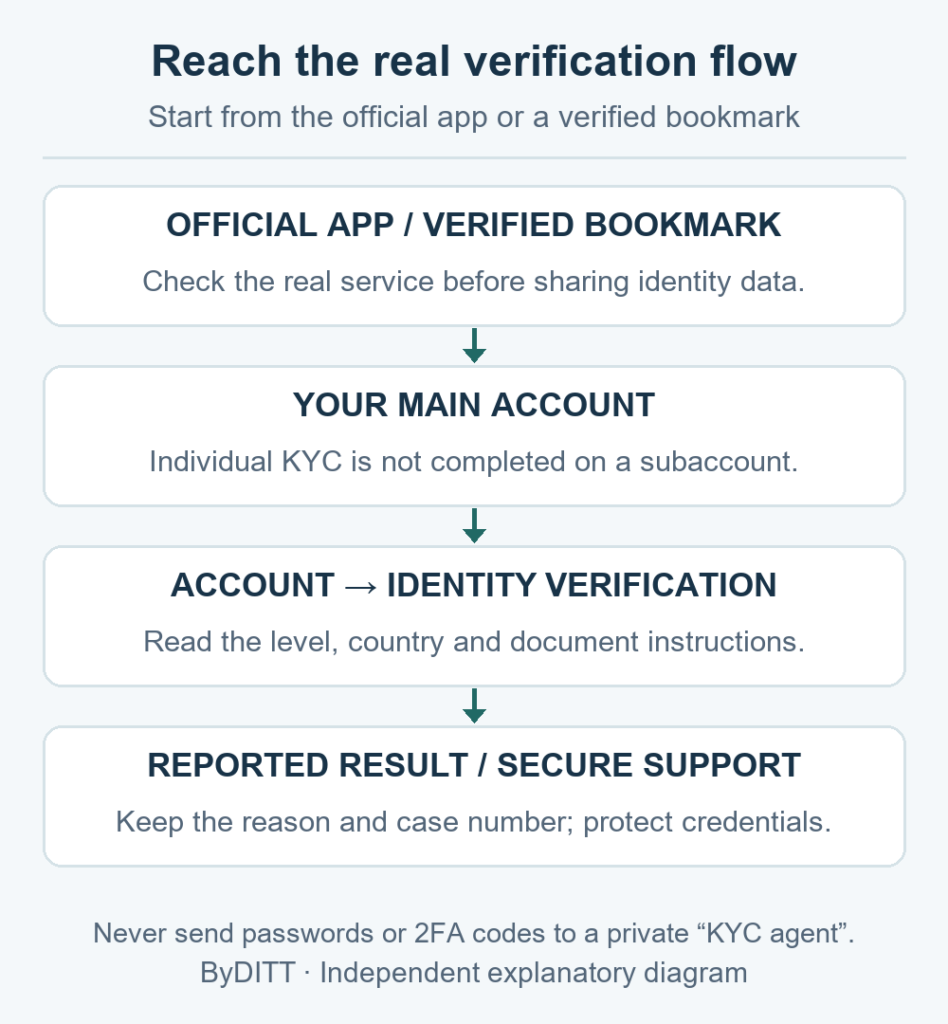
The Individual KYC steps describes the main-account path as profile → Account → Identity Verification. Select the real residence and document-issuing country. Standard verification includes identity assessment; if a questionnaire appears, answer accurately. Proof of address follows Standard verification. Extra documents can still be required for a withdrawal or fiat transaction after higher-level verification.
Prepare acceptable KYC documents
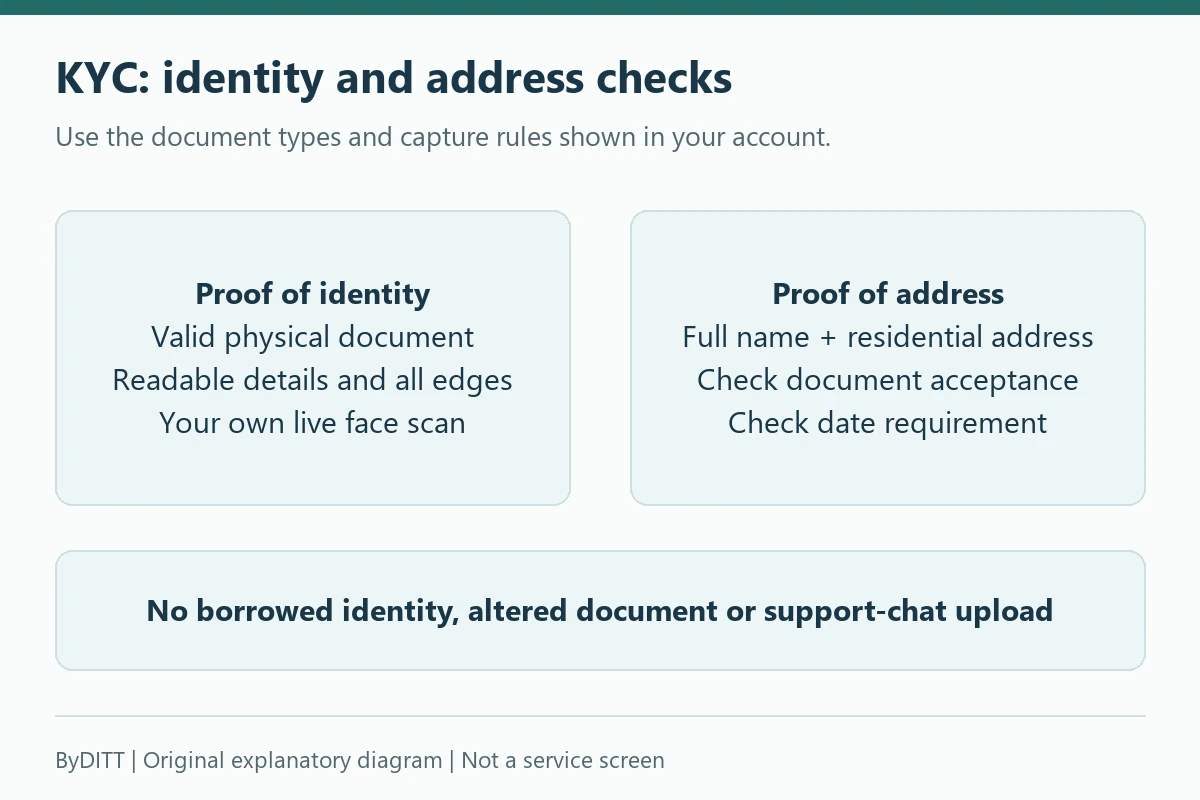
Bybit lists accepted proof-of-identity categories such as passports, identity cards, residence permits and driving licences, subject to country and account rules. The document should be original, valid, clear and fully visible. Screenshots or scanned copies may be rejected where the process requires a photo of the physical document.
- Use the full real name matching the government document.
- Clean the camera lens and use even lighting without glare.
- Show every edge of the document and keep text readable.
- Complete facial recognition yourself; do not use a photo or another person.
- For proof of address, check the allowed document types and recency requirement.
- Do not upload identity documents to an unofficial support contact.
For address evidence, the Individual KYC FAQ says the full name and residential address must match. With the stated proof-of-identity exception, documents must be dated within the last three months. Utility bills, official bank statements or government residence evidence are examples, not universal approval. The account-specific checklist is decisive. A bank transaction slip is not the same as an official bank statement.
Some official KYC pages differ on accepted address documents, formats and retry thresholds. Do not pick the most permissive line from an older page. Use the current account instructions and ask official support when they conflict; do not alter documents or invent a fixed daily retry allowance.
How long KYC can take
Bybit’s FAQ says verification generally takes about 15 minutes but can take up to 48 hours when additional review is needed. That is guidance, not a guaranteed completion time. If the process exceeds the official window or shows an error, use the Support Hub or official case-submission route.
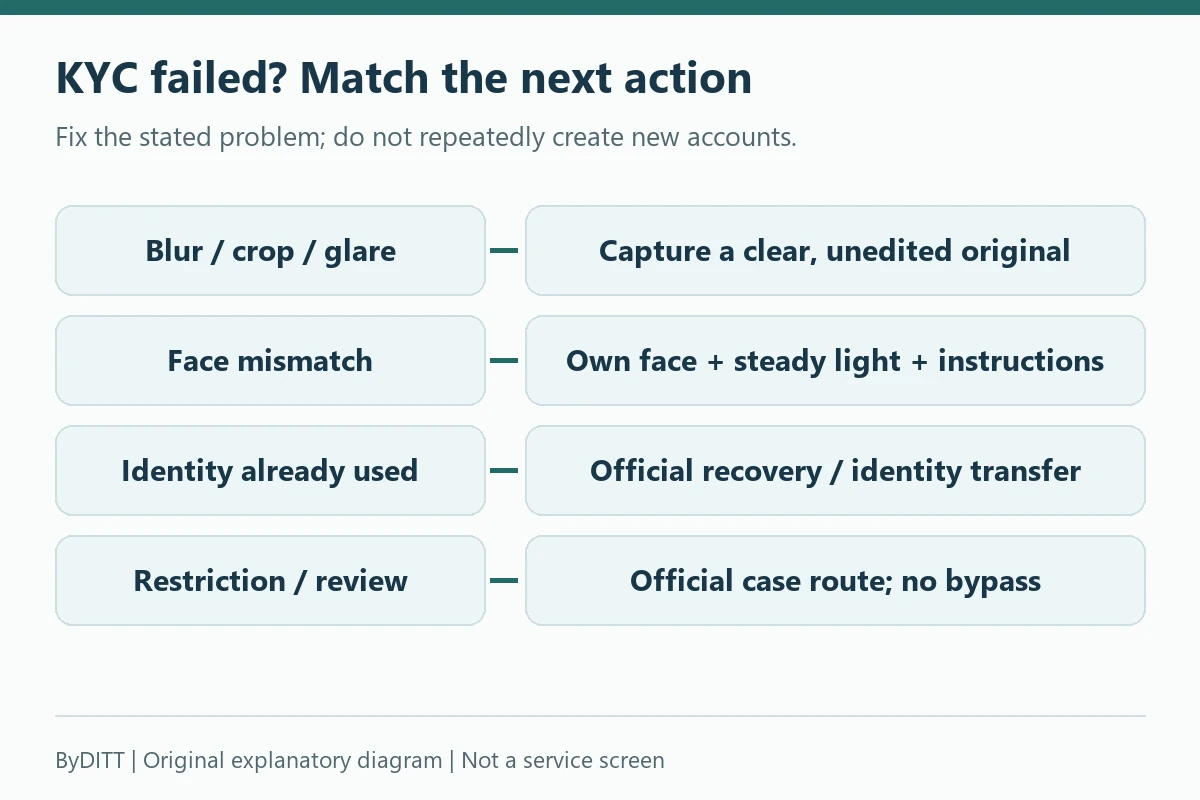
Common KYC failure reasons
- The same identity is already associated with another verified account.
- The face is not centered or facial recognition cannot match the user.
- The document is blurred, overexposed, cropped, expired or incomplete.
- A screenshot or scan is submitted instead of the required original document.
- The document type is not accepted for the country or verification level.
- The user or jurisdiction does not meet current service rules.
Do not repeatedly create new accounts to solve a KYC problem. Bybit’s FAQ says only one account per user can process individual KYC under the stated rule, and identity transfer has a separate process.
Use the rejection reason on the Identity Verification page or the notification email to decide what to fix. The KYC failure diagnosis distinguishes poor photos, missing pages, face mismatch and an identity already used on another account. Preserve the error message and time; resubmit only after correcting that cause. For an existing verified identity, use the official recovery or identity-transfer route rather than another person’s document or repeated new accounts.
Secure the account before depositing
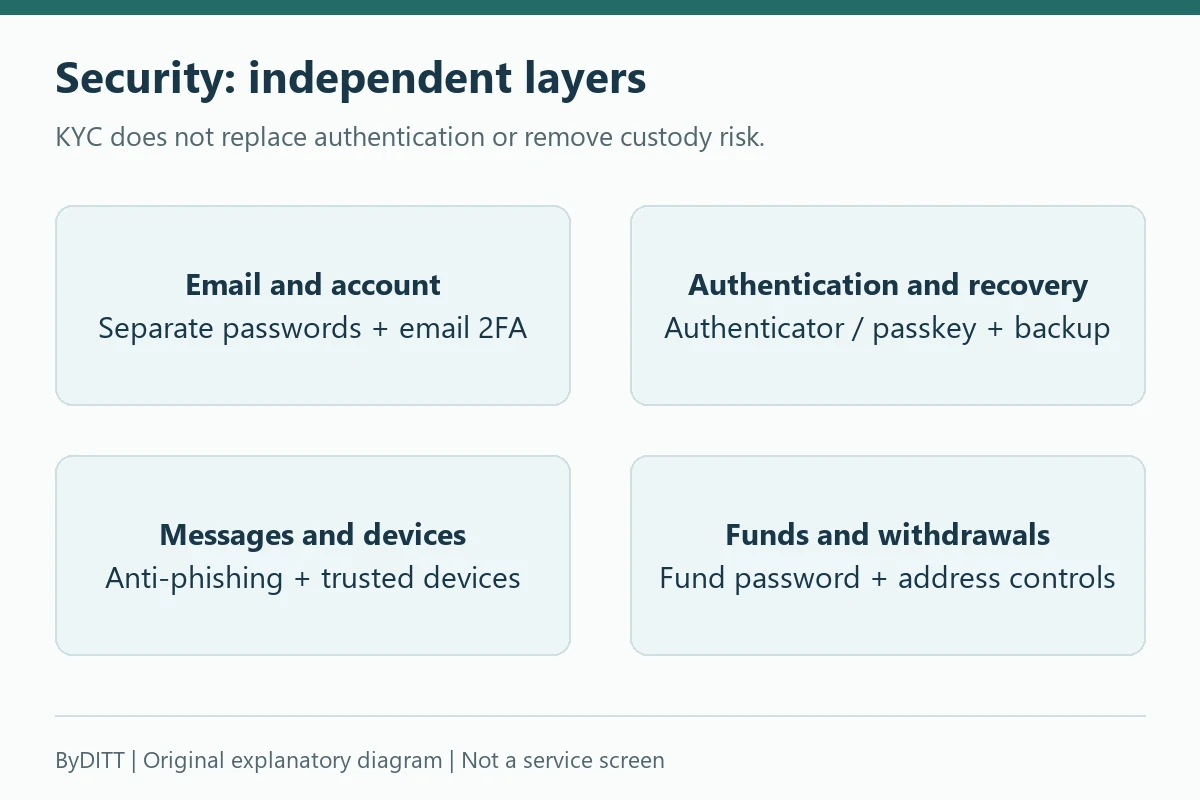
A verified identity does not prevent account takeover. Enable multiple independent controls immediately after registration.
- Unique password: never reuse the email or exchange password elsewhere.
- Passkey or authenticator: prefer an independent factor over SMS alone where available.
- Anti-phishing code: verify it in official Bybit messages.
- Fund password: keep it different from the login password.
- Withdrawal controls: consider address book, whitelist, new-address lock and conservative limits.
- Device review: remove old sessions and untrusted devices.
Read our Bybit security and scam-prevention guide before responding to any message that threatens an account freeze or asks for a transfer.
The Account security recommends securing the linked email as well as the exchange account. Its authenticator guidance advises against relying on account synchronization as the backup for both. Plan recovery separately from your daily device. Review unfamiliar trusted devices and official alerts. Never share a one-time code, authenticator setup key, password or identity document with an unsolicited contact. A correct anti-phishing code is a useful check, not permission to follow an unexpected link.
The Bybit Protect and withdrawal controls distinguishes address-book-only withdrawal from an address whitelist that can waive email and Google 2FA checks for listed destinations. They are not interchangeable settings. Read the confirmation screen and the trade-off before enabling a verification exemption. This is not a recommendation to lower authentication protections.
Why a security change can temporarily restrict withdrawals
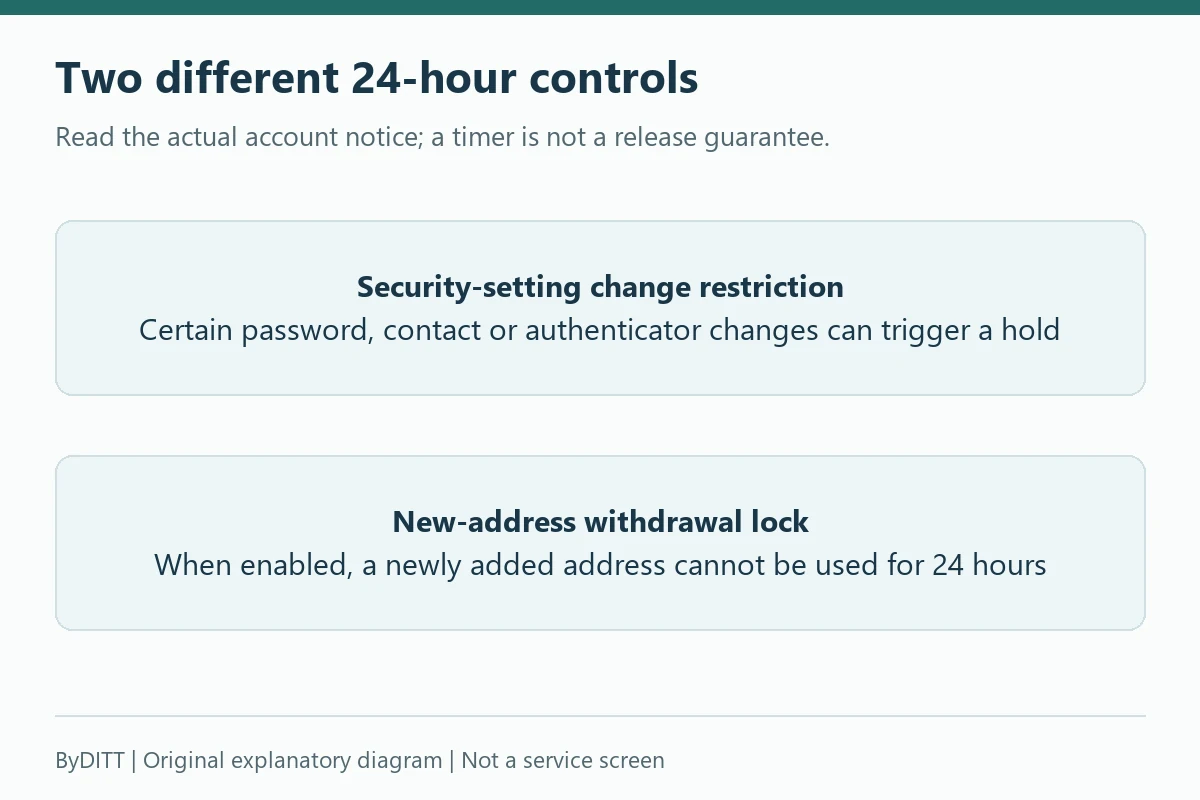
Bybit’s Withdrawal restrictions lists a 24-hour restriction after actions such as password changes/resets, registered contact changes, resetting/disabling Google Authenticator, certain fund-password changes or passkey removal. Its scope includes on-chain/internal/fiat withdrawals, Bybit Card transactions and P2P orders. Check the exact account notice: not every authenticator action has the same effect, and other risk reviews can remain.
Separately, the New Address Withdrawal Lock blocks a newly added destination for 24 hours when enabled. Changing that feature can itself trigger the security-change restriction above. A timer expiring does not override a separate KYC, compliance, network or balance hold. If authentication access is lost, use the official “Having problems with verification” recovery flow; suspended or restricted accounts may not have that self-service option.
First-deposit checklist
- I confirmed the asset and network are supported on both sides.
- I copied the deposit address directly from the official Bybit page.
- I included the memo or tag if displayed as required.
- I checked the minimum deposit and confirmation requirements.
- I will send a small test amount first where practical.
- I enabled withdrawal security before holding a larger balance.
For detailed network, memo, internal-transfer and fiat instructions, use our Bybit deposit, withdrawal and transfer guide.
Registration checklist
- Bybit and the intended product are available in my jurisdiction.
- I verified the official domain or app listing.
- I used long-term contact details and a unique password.
- I checked any referral code before account creation.
- I completed KYC with my real information and an accepted document.
- I enabled independent authentication and withdrawal protection.
- I understand that registration, KYC and a referral code do not make trading profitable or risk-free.
Affiliate disclosure: ByDITT is an independent educational and affiliate site, not Bybit.com. ByDITT may receive compensation if you register through this link. Any code, reward, fee benefit or eligibility depends on current account, region and campaign terms. No fixed rate or lifetime benefit is guaranteed.
Educational information only. Registration methods, KYC documents, limits and regional availability can change. Follow the requirements shown in your own Bybit account and the current official Help Center.
Risk notice: KYC and security settings do not remove exchange-custody, market, regulatory or account-access risk. Derivatives add margin and liquidation risk. This article explains procedures, not an instruction to deposit or trade.
Official sources and review date
Reviewed on 18 October 2026. The dates below are each official page’s displayed update date, not a promise that every account received a policy change on that day. Regional versions and live account requirements can differ.
- Registration — updated 2026-08-17.
- Individual KYC FAQ — updated 2026-08-20.
- Individual KYC steps — updated 2026-07-06.
- KYC failure diagnosis — updated 2025-11-25.
- Account security — updated 2026-05-23.
- Bybit Protect and withdrawal controls — updated 2026-06-21.
- Withdrawal restrictions — updated 2026-08-30.
- Restricted jurisdictions — updated 2026-10-16.
- Korean FSC notice on unregistered operators — updated 2026-10-13.
- Account recovery self-service — updated 2026-01-23.