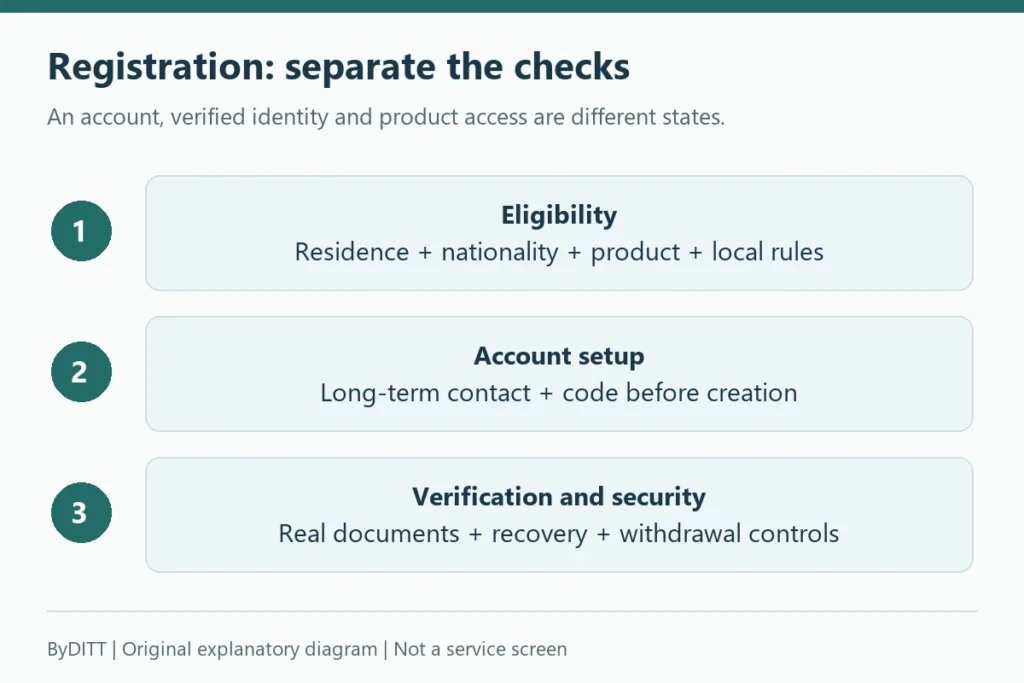
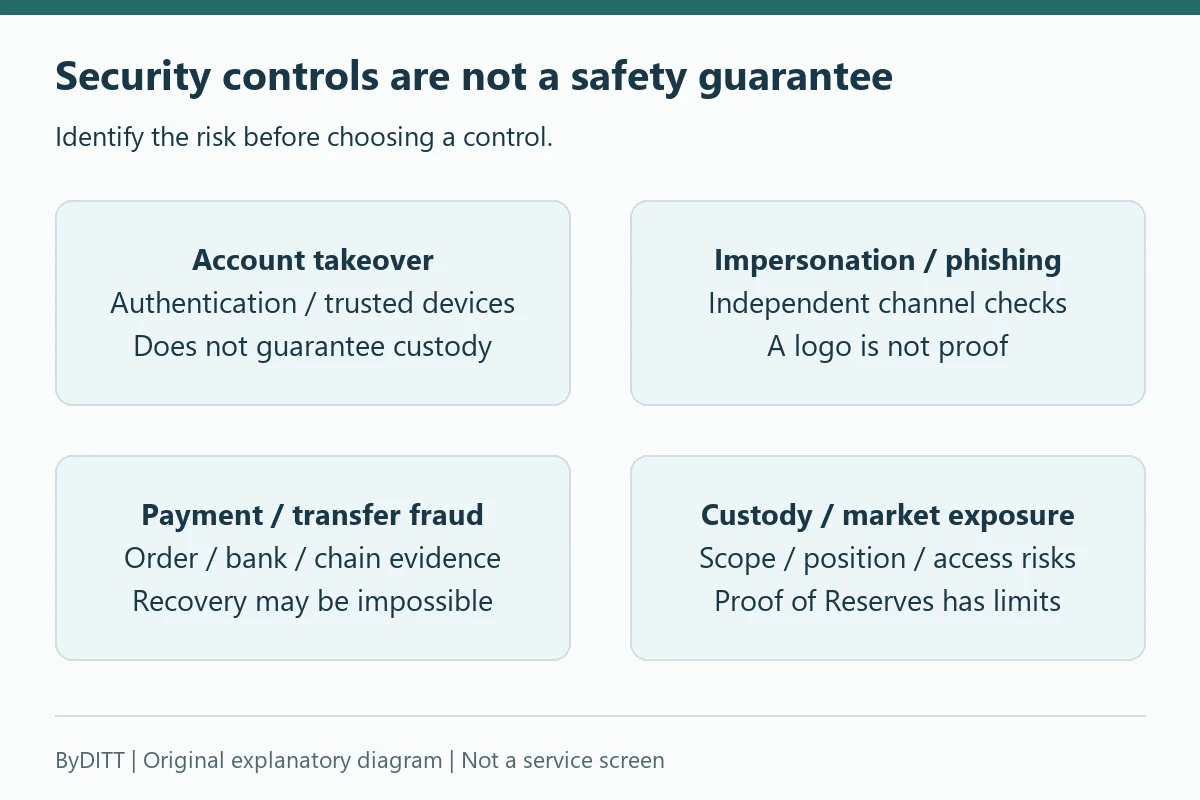
Using a large exchange does not remove custodial, phishing, account-takeover, P2P, or trading risk. A sensible Bybit safety review asks two separate questions: what controls does the platform provide, and which protections have you actually enabled on your own account? This guide explains how to check both without relying on unverifiable safety scores, “zero incident” claims, or guarantees.
Reviewed: 24 October 2026. This page helps assess suspicious contacts and choose an incident-response route. Receiving a scam message is not proof that your account has been hacked; an account lock is not proof that funds will be recovered. Use the official channel appropriate to the incident.
The short answer: is Bybit safe?
Bybit provides account-security tools, an authenticity checker, withdrawal controls and a Proof of Reserves verification process. Those controls are useful, but they are not a promise that an account, trade or deposit cannot suffer a loss. Safety depends on jurisdiction, product, account settings, device security, operational controls and the amount of leverage used.
- Platform controls: review current security documentation and Proof of Reserves information.
- Account controls: enable multiple independent authentication and withdrawal protections.
- Transaction controls: verify networks, addresses, counterparties and payment status yourself.
- Market controls: size positions so liquidation, funding and volatility cannot create an unacceptable loss.
- Custody controls: avoid keeping more assets on any trading platform than your strategy requires.
No affiliate link, referral code, partner label or promotional campaign changes those underlying risks. Registration benefits and availability can vary by account, product, region and campaign, so check the terms displayed in your own Bybit account.
1. Start with Bybit Protect and independent authentication
Bybit describes Bybit Protect as a multi-layer framework. Its documented controls include email and SMS authentication, Google 2FA, anti-phishing codes, passkeys, Secure Transaction Approval, a separate fund password and withdrawal restrictions. Availability can differ by device or account, so use the Security page in your own account as the authoritative checklist.
| Control | What it helps protect | Practical setup |
|---|---|---|
| Unique email and password | Credential stuffing and password reuse | Use a dedicated email and a password manager-generated password not used anywhere else. |
| Passkey or Google 2FA | Login and sensitive actions | Prefer an authenticator or passkey over SMS alone; store recovery information offline. |
| Anti-phishing code | Impersonation emails and messages | Set a code only you know and treat missing or incorrect codes as a warning. |
| Fund password | Withdrawals and selected fund actions | Make it different from the login password and never send it to support contacts. |
| Secure Transaction Approval | Unauthorized transfers | Use a trusted primary device to review sensitive transactions where available. |
| Withdrawal address controls | Address substitution and rushed withdrawals | Use an address book or whitelist, new-address lock and conservative withdrawal limits. |
Do not store your password, 2FA seed, wallet recovery phrase and email recovery codes in the same cloud note. If one account is compromised, the attacker should not automatically obtain every recovery path.
Withdrawal settings are not interchangeable. Bybit Protect and withdrawal controls distinguishes address-book-only withdrawals, a new-address delay and an address whitelist. It says whitelisted addresses can bypass Google 2FA and email checks for withdrawals. Review the actual effect before enabling a convenience feature; do not assume every whitelist setting adds another authentication challenge. The documented new-address lock is 24 hours, not a guarantee that every suspicious withdrawal will be blocked.
The separate account, KYC and security setup checklist explains routine setup. Here the priority is deciding what a suspicious event means and which official route to use.
2. Verify every Bybit contact and website before acting
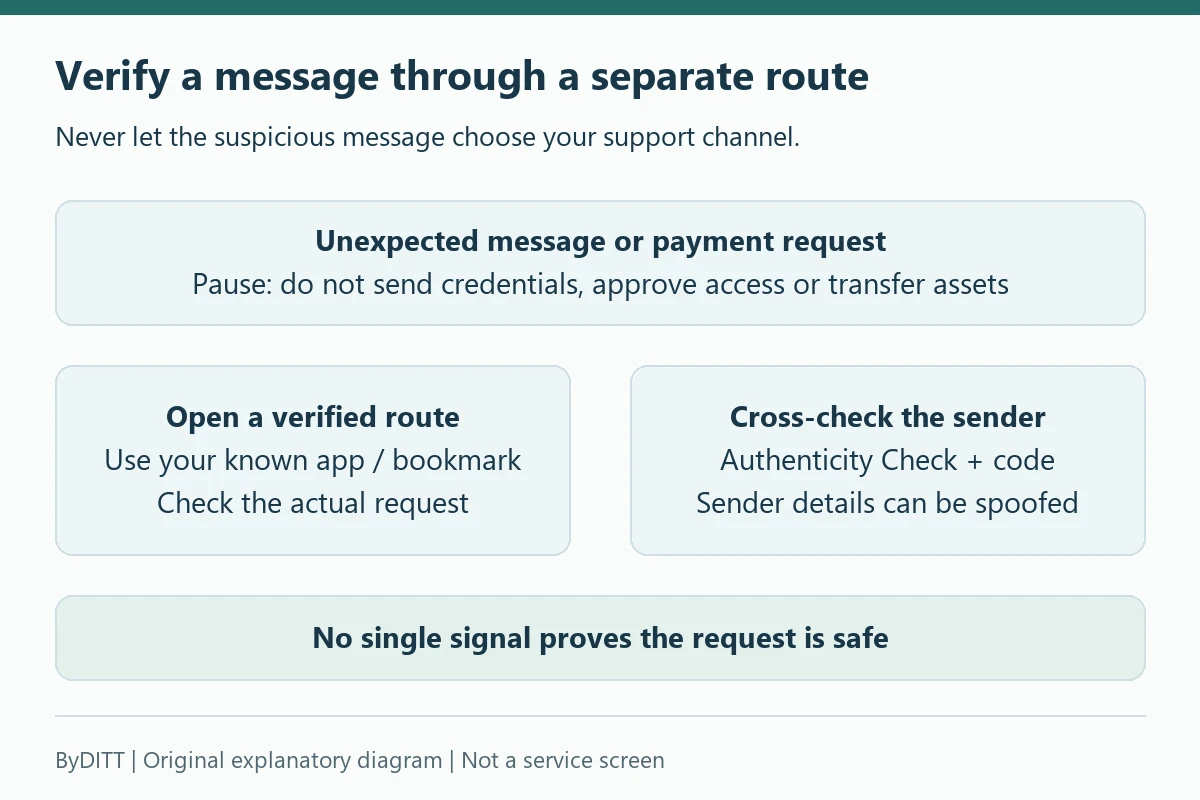
Phishing messages often create urgency: a threatened account freeze, a withdrawal warning, a fake promotion or a request to “verify” a wallet. Open Bybit from a saved bookmark or type the address yourself instead of trusting a message link. Bybit’s Authenticity Checker can check websites, emails, phone numbers, social accounts and other channels.
The checker is one signal, not a substitute for judgment. Bybit’s own anti-phishing guidance warns that sender details can be spoofed. A familiar-looking email address, logo or verification result does not make an unexpected transfer request safe. Bybit states that it will not ask users to send assets to an unknown address or reveal a wallet recovery phrase.
- Stop if a message asks for a password, 2FA code, recovery phrase, remote-screen access or an asset transfer.
- Inspect the full domain and avoid shortened links or unexpected attachments.
- Confirm the anti-phishing code in official messages.
- Verify the channel with the Authenticity Checker.
- Contact support from the official site or app, not from the suspicious message.
See Bybit’s current guide to identifying phishing threats and common scams before responding to an unexpected email, text or direct message.
An anti-phishing code is a personalized message marker configured through Account or Security, not a login OTP and not the referral code BYBITDC. Anti-phishing code setup explains setup and changes. If you never configured one, absence alone tells you little; if an expected code is missing or wrong, stop and verify independently. Even a correct code should not override a suspicious request.
Diagnostic examples: do not confuse appearance with authority
- A message threatens a freeze and provides a link: open your known official app separately and look for the actual notice. Do not let the message choose the site or support contact.
- A caller knows your name, order or wallet transaction: knowledge of public or leaked details is not proof of authority. Never read out a one-time verification code to the caller.
- A chat asks for a recovery phrase, remote control, or a new-wallet transfer to release funds: stop and confirm the case through the verified Help Center. Do not test a suspicious address with a small payment.
- An unexpected approval prompt appears: reject or leave it pending unless you initiated and independently verified the exact action. An authentication tool cannot judge the purpose of an action you knowingly approve.
These are ByDITT diagnostic examples, not claims that a particular real account is fraudulent. The official phishing guide warns that sender details may be spoofed even when a listed contact checks out. Use multiple independent checks rather than a single “official” badge.
3. Treat deposits and withdrawals as irreversible operations
A correct-looking address can still be wrong for the selected network, token standard, memo or tag. Confirm the asset, network, destination address and any memo directly on both platforms. For a new destination, send a small test amount first when fees and minimums make that practical. Then confirm receipt before sending the remainder.
- Do not copy an address from chat or email if you can retrieve it directly from the destination wallet.
- Compare the beginning, middle and end of the address after pasting; clipboard malware can replace it.
- Check whether the receiving platform supports the exact network.
- Review withdrawal fees, minimums and confirmation requirements shown at the time of transfer.
- Pause after changing security settings or adding a new address if a security lock applies.
For a complete account setup, use our registration, KYC and security guide. For cost checks, use the Bybit fee guide; network withdrawal fees and trading fees are separate.
A successful small test only checks a particular destination and transfer route at that moment. It does not prove that an investment offer, recipient or later transfer is legitimate. Do not turn a suspicious transfer demand into a “test deposit.” If a transfer is already delayed or missing, use the deposit and withdrawal error diagnosis instead of resending or paying an unsolicited recovery agent.
4. P2P risk: confirm money in your own account
Never release crypto because a buyer sent a screenshot, SMS or “escrow” message. Check your bank or payment account directly and confirm that the payment is final enough for the method used. Keep all communication inside Bybit’s P2P chat and reject requests to move to Telegram, WhatsApp or another private channel.
Bybit’s P2P scam-prevention guide describes fake receipts, impersonation, triangle scams, chargebacks, cancellation pressure, fake giveaways and off-platform payment requests. If something is wrong, stop, preserve screenshots and transaction references, and use the order-page appeal or official support route promptly. Recovery is not guaranteed, especially for actions completed outside the platform.
If a P2P appeal displays Mutual Agreement, read its effect before acting: P2P scams and appeals warns that accepting it can close the dispute and release crypto. Do not accept it because the other party promises a later refund. Verify any actual refund in your own payment account. A bank alert or receipt screenshot is not the same as confirmed receipt, and a recorded payment may still carry method-specific reversal risk. For the complete order workflow, see the P2P payment, fraud and appeal guide.
5. Proof of Reserves is useful evidence, not a complete guarantee
Bybit provides a Merkle-tree process that can allow eligible users to verify that an audited balance was included in a Proof of Reserves snapshot. The company also publishes methods for checking announced wallet ownership and balances. That improves transparency, but a point-in-time reserve check is not the same as a complete audit of every liability, operational control, legal claim or future event.
- Confirm that your token and account date fall within the audit scope.
- Use the verification data shown in your own Proof of Reserves page.
- Review the latest available report rather than relying on an old promotional graphic.
- Remember that reserve evidence does not remove phishing, account-takeover, market or jurisdiction risk.
Read Bybit’s instructions for verifying assets in your account and assess the limits of the evidence for yourself.
The Verify account inclusion in a reserves snapshot explains how to check whether an eligible balance was included at a particular snapshot. An absent record can also reflect an account created after that snapshot or a token outside its scope. ByDITT’s analytical distinction is that inclusion does not by itself establish complete liabilities, future access, legal protection or future solvency. It is not an account insurance policy and does not authenticate a private support message.
The February 2025 cold-wallet breach: a custody-risk case
On February 21, 2025, attackers took assets from one of Bybit’s Ethereum cold wallets. In its February 26 public service announcement, the FBI attributed the theft of approximately USD 1.5 billion in virtual assets to North Korean activity it calls TraderTraitor. Bybit’s March 3 incident timeline lists USD 1.46 billion for the affected wallet and describes the attack on a multisignature transaction interface. These are two source-specific descriptions of the same incident, not two losses to add together. Bybit’s timeline also reports a link to the Lazarus Group; the FBI announcement uses the name TraderTraitor.
Bybit stated at the time that withdrawals had not been halted and later reported that 99.994% of more than 350,000 withdrawal requests were processed within ten hours. Its executives said customer assets were backed 1:1, and a February 24 Bybit announcement said in-scope reserve levels had been restored within 72 hours. These are dated company statements about its response, not a guarantee of uninterrupted access, complete liability coverage or immunity from a future incident.
- FBI source: February 26, 2025 public service announcement — attribution and approximate USD 1.5 billion figure.
- Bybit source: security-incident timeline, published March 3, 2025 — affected wallet, USD 1.46 billion breakdown, withdrawal handling and company statements on backing.
For a custody decision, separate three questions: can you verify the incident account, can you independently inspect a dated reserves snapshot, and can you tolerate a period when access or withdrawals might be disrupted? Our Bybit Proof of Reserves guide explains what a snapshot can and cannot establish. Neither the 2025 incident nor the later response alone proves that the platform is currently safe or unsafe for your account or jurisdiction. Sources checked October 24, 2026.
6. Trading risk is different from exchange security
An account can be perfectly secured and still lose money through leverage, liquidation, adverse funding, slippage or a misunderstood product. Before opening a derivatives position, verify the contract type, settlement asset, margin mode, leverage, liquidation estimate and funding schedule. Do not treat a referral benefit as compensation for position risk.
- Use isolated margin when you want to cap margin assigned to a specific position, while understanding how the product implements it.
- Set position size from a maximum acceptable loss, not from the largest leverage offered.
- Leave room for fees, funding and price movement between an alert and execution.
- Test unfamiliar order types with the smallest practical size.
- Keep emergency reserves away from leveraged trading capital.
Our Bybit futures risk guide explains contracts, margin, funding and liquidation without presenting leverage as a profit shortcut.
7. API and device security
An API key can expose trading or withdrawal capabilities depending on its permissions. Create separate keys for separate tools, grant only the permissions required, apply IP restrictions where supported, and remove unused keys. Never paste a secret key into a support chat or unverified bot. Review account login history, active sessions, devices and API keys regularly.
- Keep the operating system, browser and authenticator device updated.
- Avoid installing unknown browser extensions on the device used for withdrawals.
- Do not approve remote-control requests from supposed support staff.
- Revoke keys and sessions immediately when a device or third-party service is no longer trusted.
- Use read-only permissions when a portfolio tool does not need to trade.
For an exposed key, Delete a compromised API key documents removal through the website’s API Management page. Follow the current official interface from a trusted device and do not generate a replacement key merely because someone in chat requests it. Removing an API key does not revoke a separate external-wallet approval or reverse an already executed transfer.
8. What to do if you suspect compromise
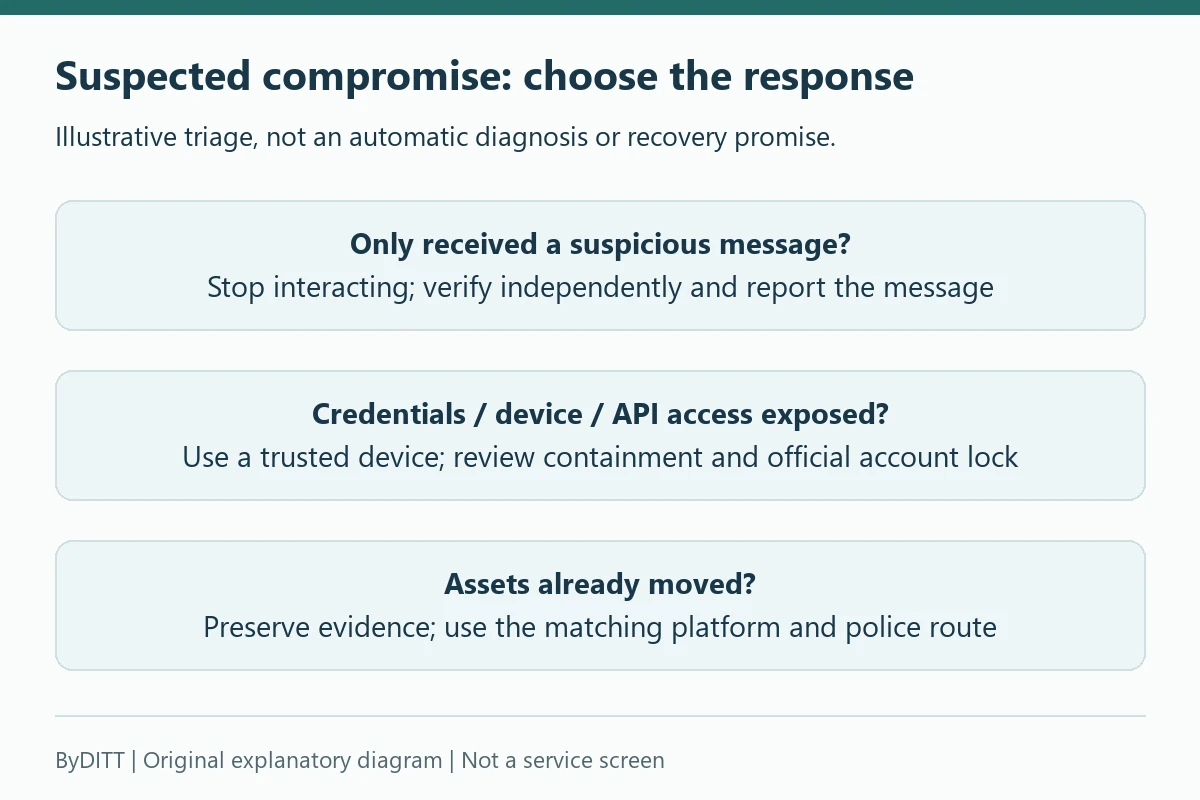
First stop the suspicious interaction. If you disclosed credentials or approved unknown access, use a trusted device and an independently opened official route to review email access, trusted devices, sessions and API permissions. Account security and trusted devices describes device review and suspicious-activity reporting. Receiving a suspicious message alone is not the same as confirming unauthorized access; containment should match what was exposed.
For suspected takeover, Account deactivation and lock documents deactivation from Account Activities. If you cannot log in, the official support bot offers a Lock Account route; users without email access should contact Live Chat. Review the consequences: login is disabled and linked subaccounts are restricted. The guide says restrictions may take about 3 minutes to reach numerous subaccounts, and self-reactivation is available only after 24 hours. Do not confuse this with account deletion or assume it reverses transactions. The user must perform security verification themselves.
Preserve evidence without exposing more secrets
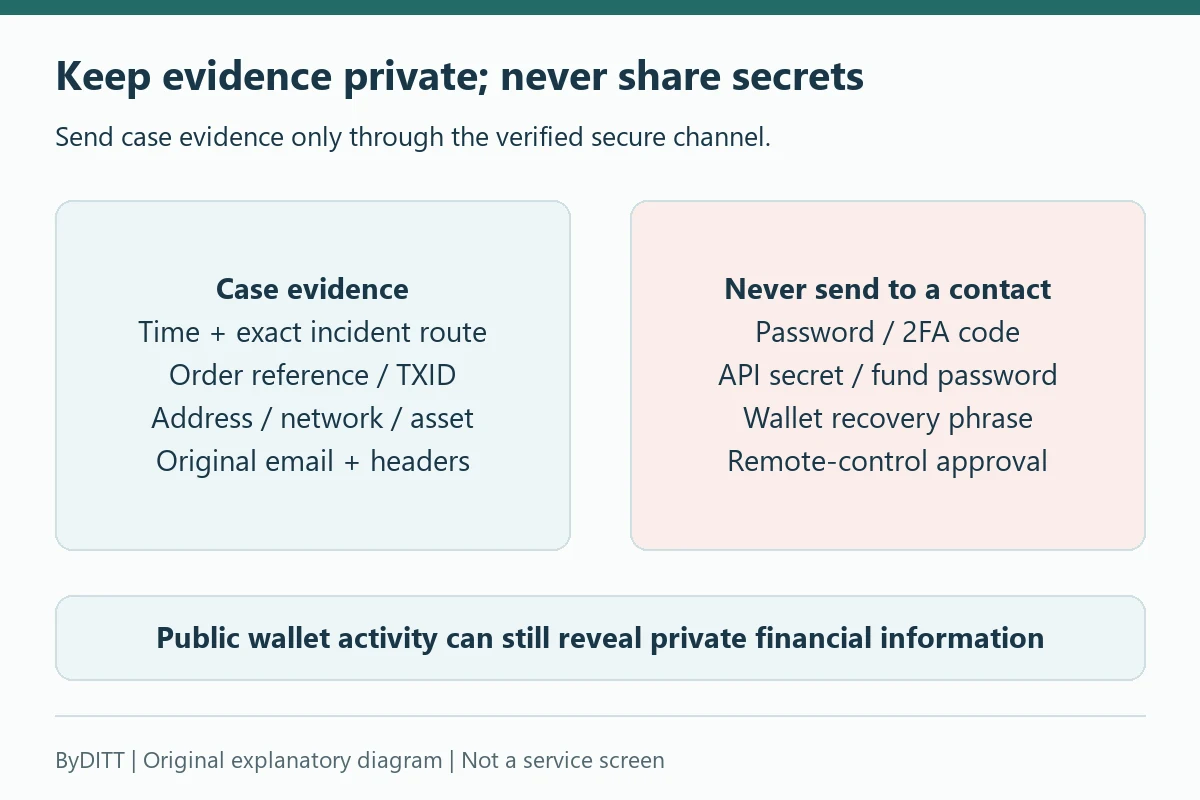
- Keep the chronology, time zone, exact suspicious URL or app source, sender identifier and original message. For a phishing email, preserve the original .eml file or full headers rather than only a cropped screenshot.
- For funds movement, retain the asset, network, amount, full address, TXID or order reference and relevant platform status. Record facts separately from guesses about who controls an address.
- Send private case material only through the verified secure support or police channel. Do not post identity documents, account statements, UID or complete financial records publicly.
- Never provide a login password, OTP, 2FA seed, API secret, fund password or wallet recovery phrase to a contact. A support request does not justify remote control of your device.
Choose the reporting route that actually fits
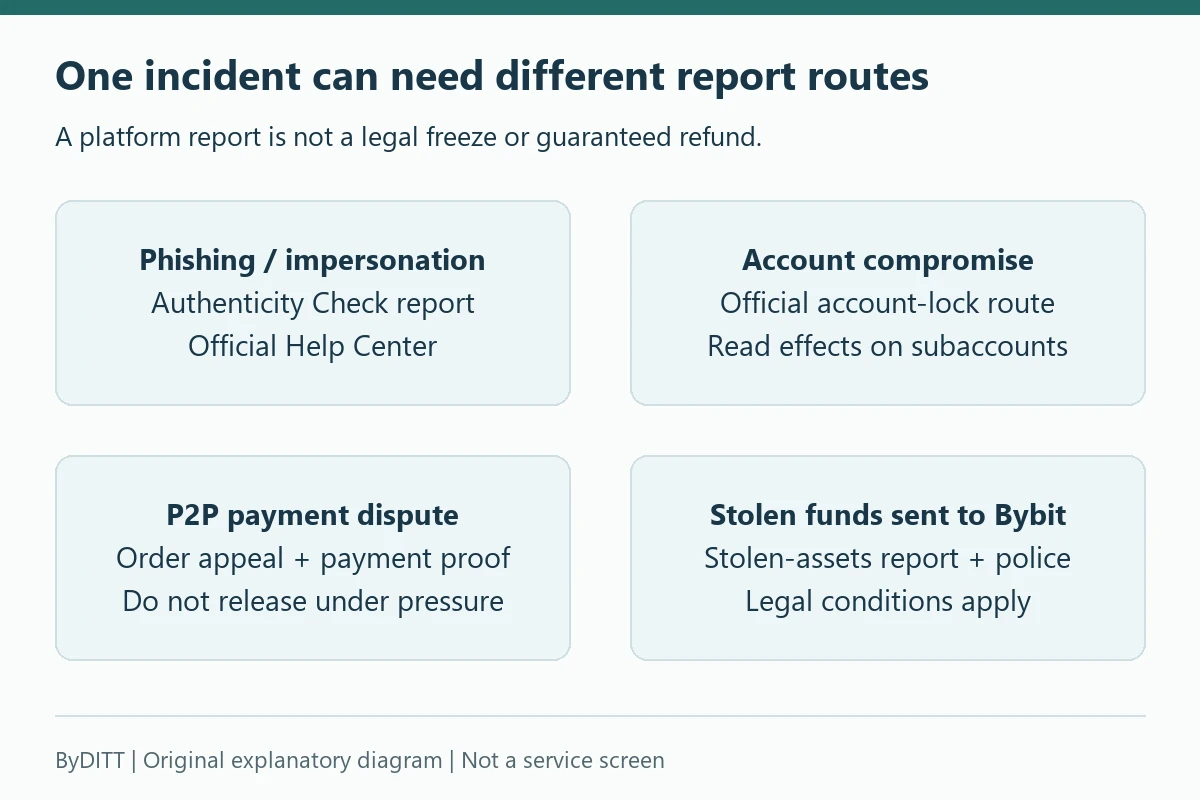
Use Authenticity Check to report impersonation or phishing; use the order appeal for a P2P dispute; use account locking for suspected account compromise. When stolen assets have flowed into Bybit, Stolen-assets report and conditions provides the specific stolen-funds report. Include the chronology, asset movement and available police materials. These are different processes, not interchangeable refund buttons.
The stolen-assets policy states that freeze requests apply to funds sent to Bybit. Without a law-enforcement freezing order, discretionary handling is currently limited to verified VIP users. Bybit may review evidence or apply a temporary internal restriction at its discretion, but that is not a legal freeze or a commitment to return funds. The claimant remains responsible for police reporting and for obtaining any legally enforceable order. The page mentions an initial response window of up to 12 hours; this is not a recovery deadline or guarantee. Confirm current eligibility directly and do not pay an unsolicited “recovery specialist.”
What this guide cannot determine
A public article cannot inspect your account, authenticate a particular caller, certify a wallet owner, determine legal entitlement or promise recovery. A routine KYC, Travel Rule or deposit-review request is not automatically a scam, but an unsolicited payment instruction is not validated merely by naming a real procedure. Independently open the existing official case and confirm any precise requirement before deciding anything. ByDITT does not collect case evidence or act as Bybit support.
A practical pre-deposit checklist
- I opened Bybit from a verified bookmark or official app.
- I use a unique password and independent 2FA or a passkey.
- I enabled an anti-phishing code and withdrawal protections.
- I checked product availability, fees and legal restrictions for my account and region.
- I tested the intended deposit network with a small amount where practical.
- I understand that Proof of Reserves and security features do not guarantee future solvency or prevent all losses.
- I will not keep more trading capital on the platform than I need.
Affiliate disclosure: ByDITT is an independent educational and affiliate site, separate from Bybit.com, and may receive compensation if you use this optional registration link. BYBITDC is an affiliate referral code, not an anti-phishing code, support credential, recovery service or eligibility override. It does not guarantee a discount, safety, support priority or recovery. The link is not needed to report an incident; use the official reporting routes above.
Educational information only, not financial, legal or security advice. Product availability, account controls and rules can change. The official Bybit Help Center and the settings displayed in your account take precedence.
Official sources and verification date
Sources checked on 19 October 2026. The dates below are each document’s displayed update date, not a promised effective date for every account. Product entity, region, eligibility and interface can differ; consult the current official case and account notices.
- Phishing threats and common scams — updated 2026-08-02
- Anti-phishing code setup — updated 2026-05-03
- Account deactivation and lock — updated 2026-03-04
- Stolen-assets report and conditions — updated 2026-03-10
- Bybit Protect and withdrawal controls — updated 2026-06-21
- Account security and trusted devices — updated 2026-05-23
- P2P scams and appeals — updated 2026-03-30
- Delete a compromised API key — updated 2025-11-25
- Verify account inclusion in a reserves snapshot — updated 2025-11-25