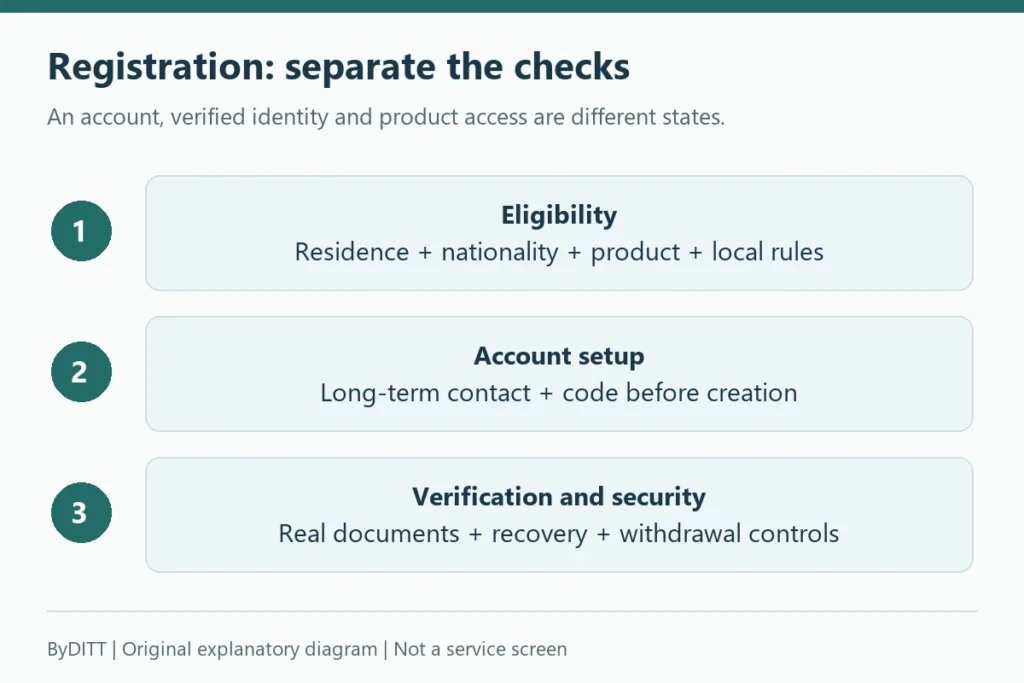
Bybit Convert does not charge a conventional trading fee, but its quoted conversion rate can differ from the Bybit Spot price. Compare the amount you would actually receive from Convert with a realistic Spot order after your own trading fee before confirming either route. A “zero fee” label alone does not tell you which route gives you more of the asset.
Last verified: October 20, 2026. This independent educational explanation is not an official announcement or a live price quote. Product availability, account permissions, fees and regional terms can change.
Official sources rechecked: October 20, 2026. This compares ordinary crypto-to-crypto Convert with a Spot route, not a bank-card purchase, fiat conversion, a guaranteed exchange rate or the separate dust-conversion tool. Availability, limits and charges depend on the serving entity, region and account. The calculations below are independent illustrations, not account quotations or instructions to trade.
Why the two prices differ
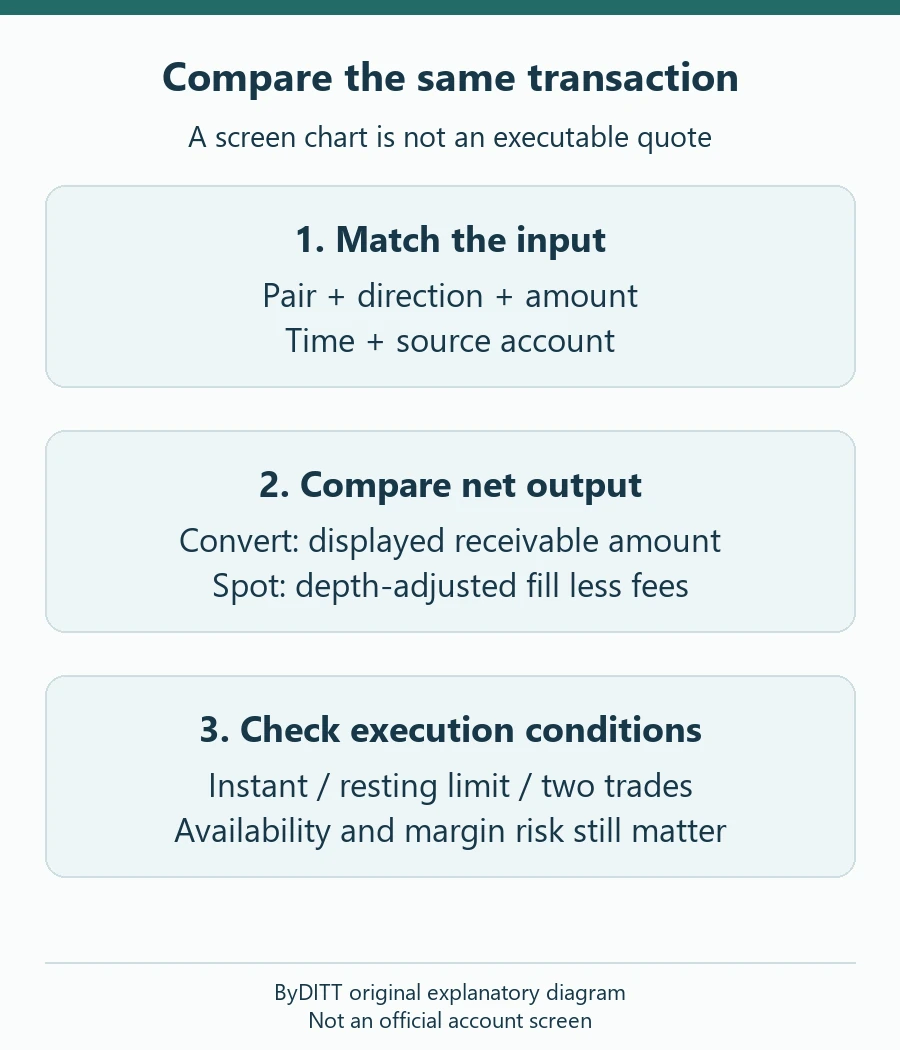
Bybit says its Convert rate is a real-time quote from multiple market makers, calculated with reference to the current index price. It expressly says that rate may differ from the Bybit Spot market price. The price chart on the Convert screen comes from Spot candlestick data at intervals; it is only a reference and is not a Convert quote that you can execute. Spot instead matches orders against its order book. The best displayed price is not necessarily the price at which your entire order will fill, especially when liquidity is thin or the order is large.
This difference is an effective price difference, not proof of a separately disclosed Convert commission. Bybit describes Convert as having no traditional trading fee. Its guide also warns that additional fees can apply in some regions, so the confirmation screen controls for your account. Do not confuse ordinary Convert with the separate small-balance conversion tool; Bybit currently lists a distinct 2% fee for that dust-conversion feature.
Compare what you receive, not just the headline rate
- Choose the same asset pair, direction and amount in both tools. Record the time because quotes and order-book prices move.
- On Convert, select the source account, enter the amount and use Get a Quote. Record the exact receivable amount and any region-specific charge shown before confirmation. Do not execute merely to test the price.
- On Spot, inspect the available balance, live bid/ask and order-book depth. Estimate the filled quantity at the size you actually intend to trade, then subtract the trading fee shown in My Fee Rate for your verified account. A market order can walk through several price levels; a limit order might not fill.
- Compare net units received and execution certainty. Repeat the comparison if the quote changes. Choose the route that fits your cost, speed and control requirements, not the route with the most attractive label.
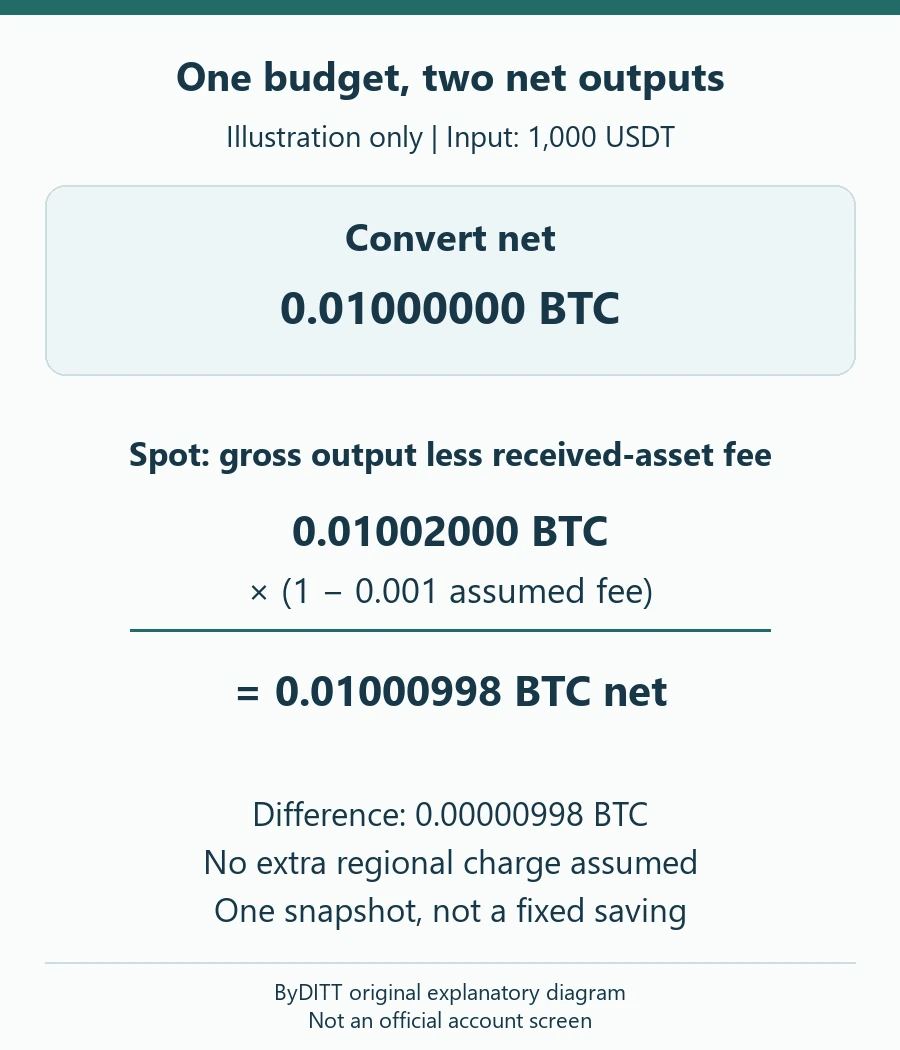
Illustration, not a live Bybit quote: Suppose 1,000 USDT buys 0.0100 BTC through a displayed Convert quote. A Spot simulation at your intended size might show 0.01002 BTC before fees. If your applicable Spot fee is 0.10% and it is charged in the acquired asset, the illustrative net is approximately 0.01000998 BTC. In this hypothetical snapshot Spot produces slightly more BTC. If the Spot order slips, the fee differs, or the Convert quote improves, the result can reverse. Always use the fee unit and amount shown on your actual trade screen; this example is not a promise of a fixed spread or saving.
Worked comparison: net units and a break-even threshold
Keep the existing example reproducible: input B = 1,000 USDT, Convert receivable C = 0.01000000 BTC, simulated Spot gross output G = 0.01002000 BTC, and assumed Spot fee f = 0.10% = 0.001, deducted from the acquired BTC. No additional regional charge, rebate, fee-payment token, transfer, borrowing, tax or later sale is included. The gross Spot output must already reflect the depth available for that whole input. Do not subtract spread or slippage a second time if the gross estimate for the intended execution already includes them.
| Measure | Calculation | Illustrative result |
|---|---|---|
| Convert output | C, as quoted for the same input | 0.01000000 BTC |
| Spot fee | 0.01002000 × 0.001 | 0.00001002 BTC |
| Spot net output | G × (1 − f) | 0.01000998 BTC |
| Output difference | Spot net − C | 0.00000998 BTC |
| Relative output difference | (Spot net − C) ÷ C × 100 | 0.0998% |
The last percentage is relative to Convert output, not a fee discount and not a return on an investment. At a separately assumed valuation of 100,000 USDT per BTC, the difference would be 0.998 USDT; that is a valuation example, not cash credited to the account. A fresh quote, worse fill or different fee can reverse the comparison. Round only after calculating; a difference smaller than the displayed precision cannot support a reliable conclusion.
Under these assumptions, Spot matches Convert when G × (1 − f) = C. The break-even fee is f = 1 − C ÷ G, or about 0.1996008% in this example. Alternatively, at an assumed 0.10% fee, Spot needs gross output of at least C ÷ (1 − f), approximately 0.01001001001 BTC. The threshold is recomputed for every quote and size; it is not a fixed Bybit spread or a recommended fee target.
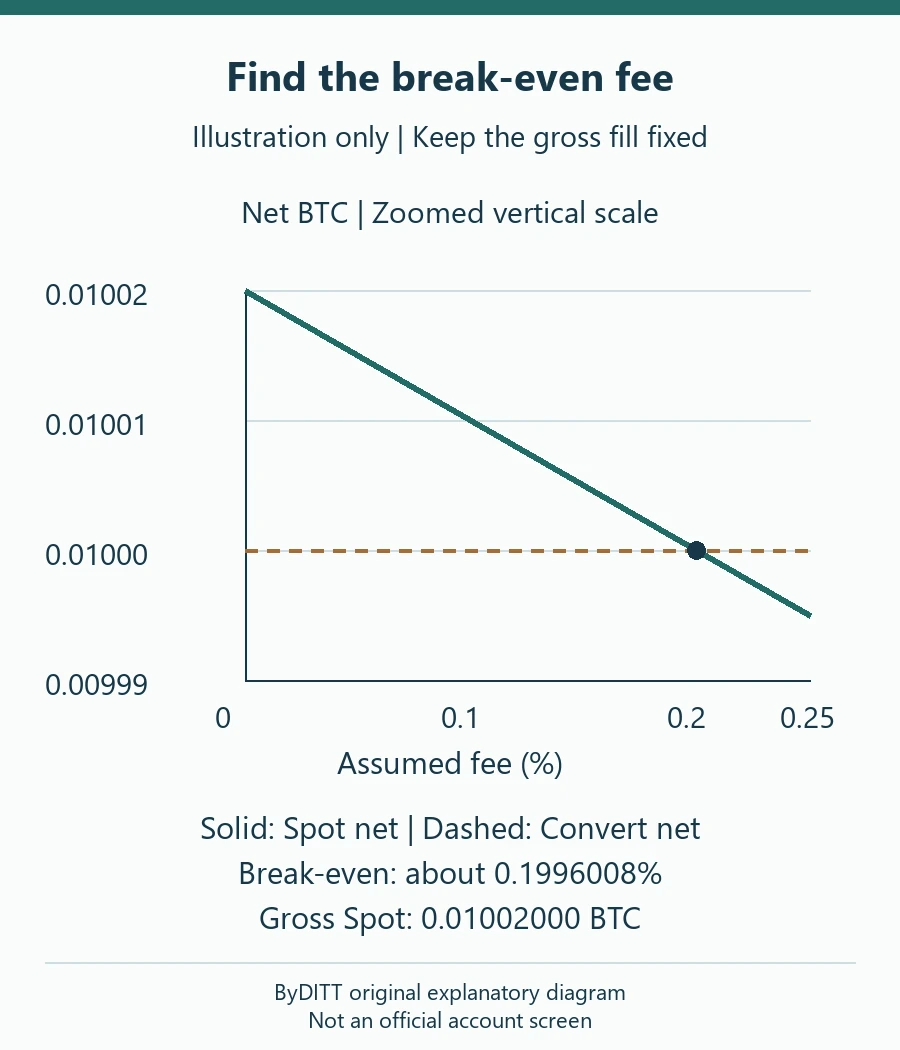
| Assumed Spot fee | Spot net BTC | Compared with C = 0.01000000 BTC |
|---|---|---|
| 0.05% | 0.01001499 | Higher output |
| 0.10% | 0.01000998 | Higher output |
| 0.20% | 0.00999996 | Slightly lower; check precision |
| 0.25% | 0.00999495 | Lower output |
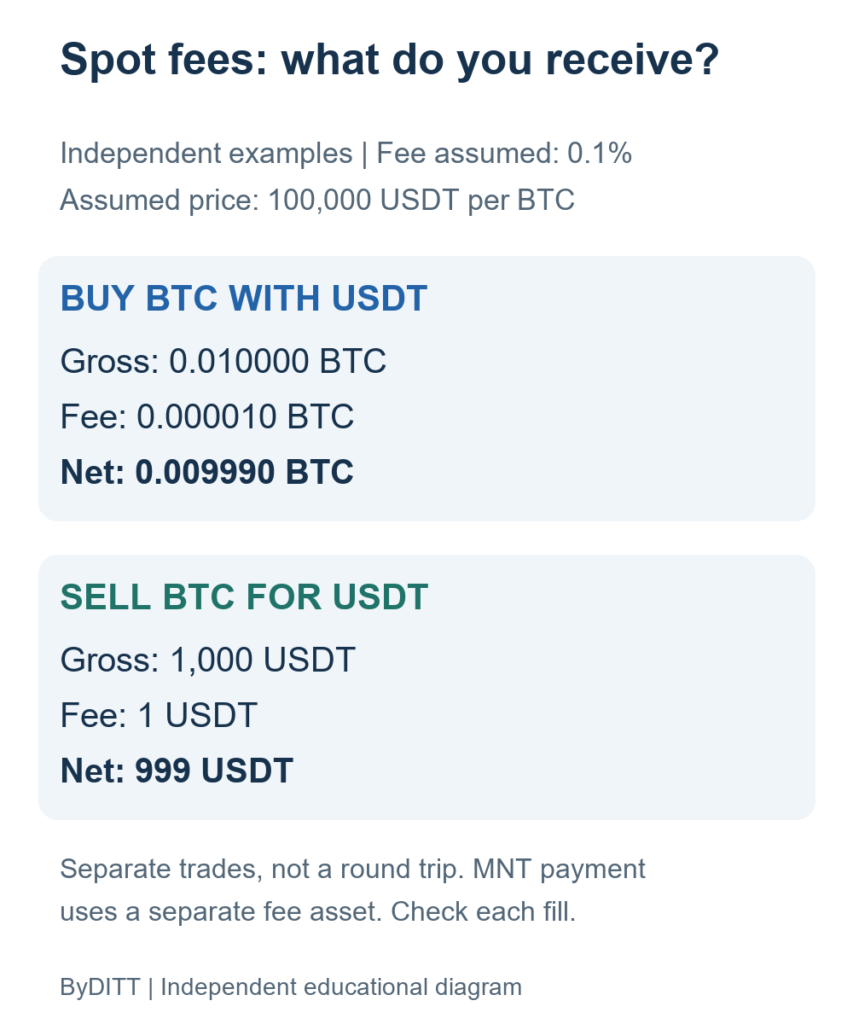
The official Spot fee explanation says standard fees are based on executed quantity and normally deducted in the acquired cryptocurrency; unfilled and cancelled portions incur no trading fee. If the sale acquires USDT, the ordinary fee is therefore assessed against that received asset, rather than automatically against the original BTC. When a separate fee asset is used, do not multiply received BTC by (1 − f) and also subtract the fee asset: that would double count. Value the actual fee asset at a documented common reference and include it in total cost instead. The MNT fee-payment FAQ describes a separate setting and eligibility rules; it does not establish a referral benefit or a fixed Convert saving.
The base fee schedule lists 0.1000% maker and taker for ordinary VIP 0 crypto-to-crypto Spot, while region, VIP tier and special trading zones can differ. This is a published base reference, not a personal quotation. Verify the intended pair and your own My Fee Rate after identity verification; do not copy an example fee from a help-page calculation as the current universal rate.
A two-trade Spot route is not a one-fee comparison
If no direct Spot pair is available, a proposed route from asset A through USDT into asset B may have two executions. Compare Convert A-to-B with the final B units after both Spot legs, rather than comparing only A-to-USDT or assuming both best prices remain available. The intermediate holding creates price exposure while the second leg is pending. A partial first fill can leave several residual assets, and a resting limit can tie up funds without completing the intended conversion.
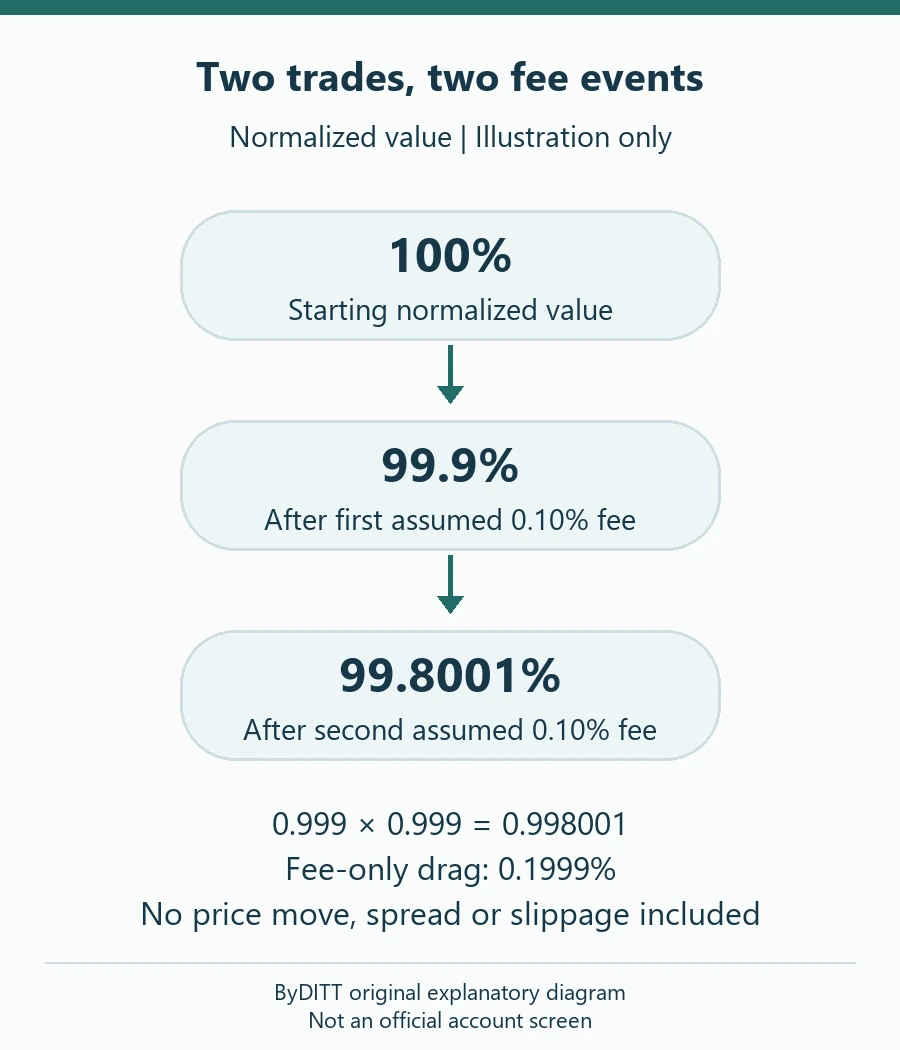
In a deliberately simplified fee-only model, each leg retains 99.9% of a constant reference value: (1 − 0.001) × (1 − 0.001) = 0.998001. The total fee-only drag is 0.1999%, not exactly 0.20%. This is normalized value, not a promise that any pair or route exists. Real order books, fee currencies and rounding require separate calculations. Convert is not automatically cheaper just because a Spot alternative has two fees; compare the final units available under the same constraints.
When Convert may make sense
Instant Convert can be simpler when you want a firm preview of the receivable amount without placing a manual Spot order. Bybit supports Instant mode from the Funding Account or Unified Trading Account (UTA). The quote refreshes every 15 seconds; during sharp volatility, a significant rate move after confirmation can prevent execution. Your converted asset generally goes to the account selected for the conversion, and if both accounts are selected Bybit says it goes to Funding. Check the destination before proceeding, particularly if you plan to trade immediately afterward.
When Spot or a Convert limit may make sense
Spot offers order-book visibility and order-type control. A limit order lets you specify a price, but execution is not guaranteed; a market order prioritizes execution and may incur slippage. Bybit’s public fee table currently lists 0.1000% maker and taker rates for VIP 0 crypto-to-crypto Spot, but actual rates can vary by region, VIP status, pair or campaign. The correct comparison uses your My Fee Rate page and order preview, not a generic published table or an affiliate-discount claim. For a broader breakdown, see the Bybit fee guide.
Convert also has a Limit mode, but Bybit says it is available only from the Funding Account. A Convert limit waits until the market-maker quote reaches your chosen rate; it is not equivalent to placing a Spot order-book limit. Bybit says an unfilled Convert limit expires after 30 days and its assets remain locked until filled, canceled or expired. For orders above USD 50,000, the guide says OTC pricing can apply to certain crypto pairs; check the displayed quote and applicable limits rather than extrapolating from a small test.
Five checks before you confirm
- Correct product: ordinary Convert, not the separate small-balance conversion feature.
- Correct wallet: available funds in Funding or UTA; Convert Limit requires Funding, while Spot trading uses UTA.
- True net amount: record receivable units, any disclosed regional charge, your Spot fee and likely market impact.
- Execution risk: Instant quotes can move or fail in volatility; limit orders may remain unfilled.
- Account risk: conversion under cross margin can change liquidation price. Do not convert collateral without checking margin and position risk first.
A quotation worksheet that does not require a test trade
| Record | Convert side | Spot side |
|---|---|---|
| Identity and scope | Serving entity, selected Funding / UTA account | Same eligible account and intended pair |
| Input and time | From asset, amount and quote timestamp | Same spendable input and observation time |
| Output basis | Quoted receivable amount and displayed charges | Gross depth-adjusted output, fee rate and fee asset |
| Execution state | Instant quote or an active Convert limit | Marketable / resting limit and partial-fill risk |
| Final check | Conversion History and credited account | Trade History: fills, fee assets and net receipts |
Use the displayed account information, not an aggregate wallet total or a historical candle. If the quoted amount or the order book changes while recording it, label the observations as asynchronous and obtain a new comparison rather than claiming a simultaneous result. A screenshot is evidence of what was displayed at that moment, not proof of a completed transaction or future price. Never share account identifiers, balances, security codes or unredacted statements publicly to demonstrate a saving.
For a manual Spot order, the ByDITT order-type guide explains why a marketable limit can be a taker and why a trigger does not guarantee a fill. For account-wide costs rather than this one conversion, use the ByDITT fee guide. Conversion is not a withdrawal: an external transfer, if independently needed later, has separate network and destination risks.
Bybit Convert failed or quote expired: check before retrying
Troubleshooting rechecked October 20, 2026. A delayed screen is not proof that nothing happened. Before requesting another conversion, open Conversion History, check the selected account and compare balances. If the result remains unclear, retain the time, asset pair, amount and any order reference for Bybit support; never share a password or API secret.
- Instant conversion: once non-execution is confirmed, obtain a fresh quote and review the new receivable amount. Do not repeatedly confirm the old quote or move the intended funds while its result is unresolved.
- Limit conversion: inspect Active orders first. An open, unfilled limit is not a failed instant conversion; check the locked funds and whether the order is still active before creating another.
- Balance error: verify available funds in the account selected for Convert, not the combined wallet total.
These are ByDITT troubleshooting recommendations. For API users specifically, Bybit documents asynchronous execution, a 15-second quote-validity window and separate final-status checking. API error codes are not a promise that the app displays the same message. See the official Convert API guideline and quote-confirmation documentation. Do not create an API key merely to troubleshoot a website conversion.
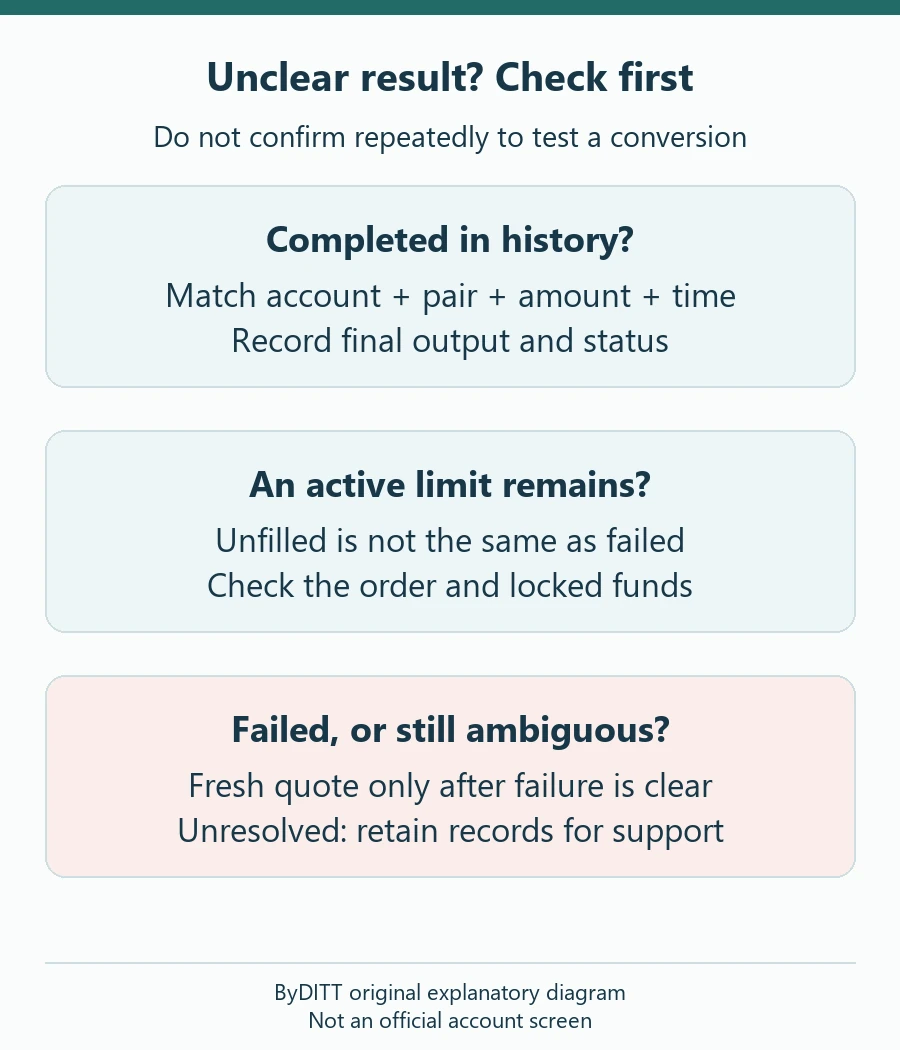
| Observed state | Safe diagnostic check | What not to assume |
|---|---|---|
| Completed, but balance seems unchanged | Match pair, direction, time and credited Funding / UTA account | A different account view is not proof of missing assets |
| Active Convert limit | Check its rate, locked input and order status | A Spot candle touch does not prove the Convert quote matched |
| Quote expired or final failure confirmed | Record the failed result, then compare a fresh quote | Do not reuse the old receivable amount |
| Result ambiguous / request timed out | Check history and original request details; contact official support if unresolved | Do not send a second confirmation merely to see whether the first succeeded |
| Insufficient available balance | Check the selected account, locked orders and actual available funds | Combined account equity is not automatically spendable input |
These are independent troubleshooting recommendations, not instructions to bypass product, regional or account restrictions. The official API workflow separately identifies request, confirmation and final-status steps and warns that confirmation is asynchronous. Its error codes distinguish an expired quote, a reused quote identifier and insufficient available balance. API wording does not prove that the app will display the same message. No new API key or permission is needed to inspect an ordinary website conversion; never provide a password or one-time security code to a person offering to resolve it.
Frequently asked questions
Is Bybit Convert free?
Bybit says there is no traditional Convert trading fee. That does not imply the quoted rate equals Spot, nor does it rule out additional region-specific charges shown on your screen. The separate small-balance conversion product has different terms.
Does a referral code reduce the Convert rate?
Do not assume it does. A referral or trading-fee promotion may apply to eligible products under its own terms, while Convert uses a quoted rate. Confirm the actual referral code, eligibility, product coverage and fee page in your account. The BYBITDC attribution checklist explains the separation between recorded attribution and actual account terms.
Why does the Convert chart disagree with the amount I receive?
Bybit says the Convert chart is based on periodically sampled Spot candlestick data and is not the rate quoted for an actual Convert transaction. The current Get a Quote amount is the relevant Convert figure.
Sources and disclosure
- Bybit Help Center: How to Convert Your Assets (guide updated April 8, 2026; checked October 20, 2026).
- Bybit Help Center: Trading Fee Structure (updated September 2, 2026; checked October 20, 2026).
- Bybit Help Center: How to Convert Small Account Balance (checked October 20, 2026).
- Bybit Help Center: Spot Trading — Fees Explained (updated September 10, 2026; checked October 20, 2026).
- Bybit Help Center: Paying Trading Fees with MNT (updated March 30, 2026; checked October 20, 2026).
- Bybit API: Convert Guideline (API scope only; checked October 20, 2026).
Independent-site and affiliate disclosure: ByDITT is an independent educational affiliate site, not Bybit.com. If you use the optional BYBITDC sponsored reference, ByDITT may receive compensation. A code does not establish a better Convert quote. Check product coverage, account fees, campaign conditions and regional eligibility independently; no account creation or trade is needed to compare public information. No rebate, bonus or fixed discount is promised by this article.
Risk: Cryptoasset prices can move quickly, liquidity can vanish, orders may not execute as expected and assets held on an exchange face custody and regulatory risks. Margin and derivatives add liquidation risk. This article is educational, not individualized financial advice.