Bybit Order History describes the order you submitted; Trade History shows the individual executions that actually happened. One Spot order can produce several trade records, and canceling its unfilled remainder does not reverse earlier fills or their fees. Reconcile the filled quantity and fee currency before concluding that a record is duplicated or your balance is wrong.
Verified: 2026-09-21. This is an independent BYDITT reconciliation guide, not a trading recommendation. Interface labels, export limits and account conditions can change.
Which record answers your question?
| Your question | Start here | What to compare |
|---|---|---|
| What did I ask the exchange to do? | Order History | Order ID, requested quantity, status and total filled quantity |
| What actually bought or sold? | Trade History | Order ID, distinct transaction IDs, execution quantities and prices |
| Why did each coin balance change? | Transaction Log | Asset changes, fee currency and other transfers or account activity |
| What remains waiting? | Open Orders | Unfilled or untriggered instructions, not completed purchases |
Use the order identifier to group executions. Counting rows is not a reliable way to count orders: separate transaction identifiers can belong to the same order. For order-placement behavior rather than record reconciliation, see our order types and execution guide.
Find the correct Spot records first
On the website, open Orders, then Unified Trading Order, and select the relevant Spot history tab. On the app, enter Trade and Spot and use the history control in the order area. Confirm the trading pair, date range, direction and main account or subaccount. A filtered screen is not proof that a trade never occurred.
The trading-page history window is limited: the current getting-started guide describes up to 400 records from the last 6 months and directs older searches to All Orders. Avoid repeatedly placing replacement orders merely because a history filter returns no rows.
A partial-fill example: canceled does not mean nothing traded
The following invented cash-Spot example illustrates reconciliation; it is not a current market quote, execution promise or account fee offer. Assume you request a purchase of 10 units of an example token, receive the following fills, then successfully cancel the remainder.
| Execution | Filled quantity | Price | Filled value |
|---|---|---|---|
| First fill | Quantity: 3 tokens | Price: 20 USDT | Value: 60 USDT |
| Second fill | Quantity: 2 tokens | Price: 21 USDT | Value: 42 USDT |
The filled quantity is 3 + 2 = 5 tokens. The spent quote amount is 60 + 42 = 102 USDT, and the weighted average fill price is 102 / 5 = 20.4 USDT. The remaining 5 tokens were not bought. The arithmetic mean of the two prices would be misleading because the execution sizes differ.
Suppose, solely for this example, both fills incur a 0.1% fee paid in the purchased token. The total token fee is 5 × 0.1% = 0.005 tokens, leaving 4.995 tokens credited. This is a different measurement from the gross filled quantity. Do not subtract a token-denominated fee directly from a USDT amount or add the requested quantity to the filled quantity.
A cancellation request can race with another fill. Recheck the final executed quantity and cancellation result rather than relying on the quantity displayed before pressing Cancel. A status label alone is not enough to establish the final asset movement.
Check the fee asset, not just the fee number
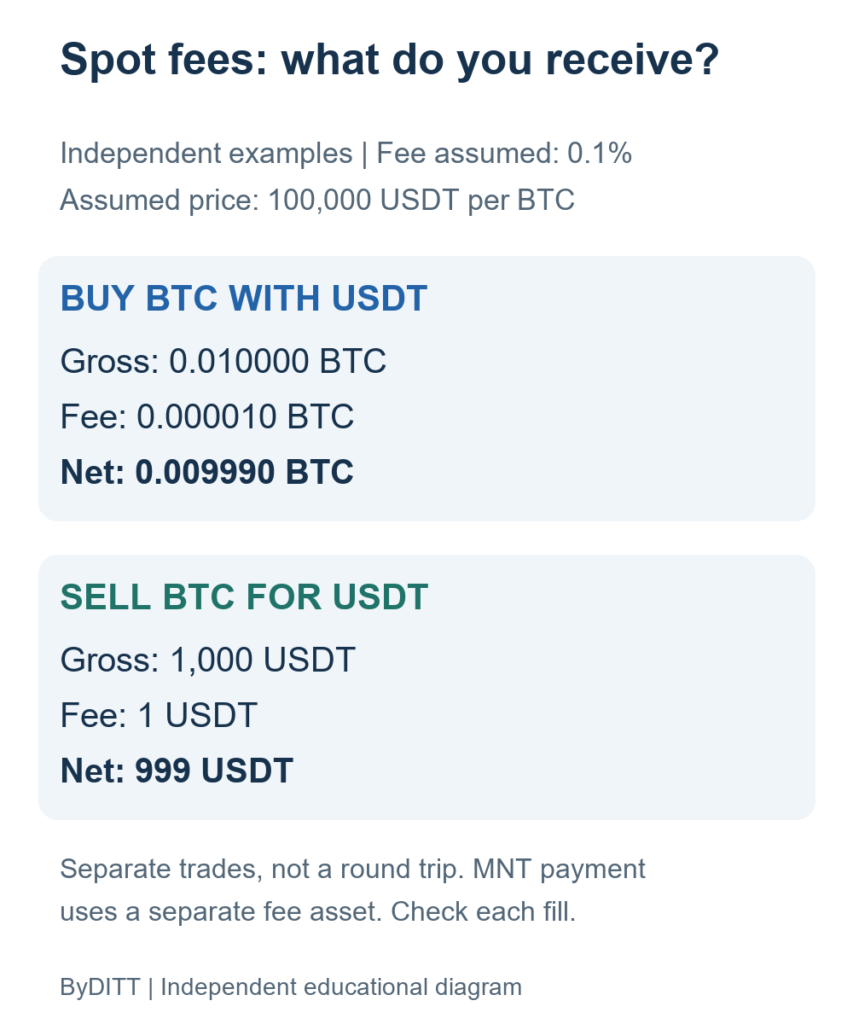
The official Spot fee explanation uses the purchased cryptocurrency as the normal fee unit and excludes unfilled quantities from trading fees. Actual rates vary with account conditions, VIP level and region; consult your logged-in My Fee Rate and the execution record. The hypothetical rate above is not a guaranteed discount.
MNT fee payment is an important exception to a simple purchased-token calculation. If an eligible account uses that option, inspect the recorded MNT charge and Transaction Log alongside the base and quote asset movements. Multiple fee entries may reflect multiple fills rather than duplicate billing. Do not assume a setting on one account or product applies everywhere.
Our fee categories and account-rate guide explains why trading fees, funding and withdrawal charges should not be combined as if they were the same charge.
Export records without creating false duplicates
For a durable reconciliation, export matching Spot order and trade records on the website and retain the original files. Use the Transaction Log for coin movements; an Account Statement is a balance overview, not a substitute for every execution row. Export availability depends on account verification and the selected route.
The official export article currently gives inconsistent general retention descriptions, mentioning both 5 years and 3 years in different sections. Do not treat either as a universal promise. Check the date range actually offered in your account and ask support about missing older records. The same article says the product-page Order History export only includes canceled orders from the last 7 days, so archive relevant cancellation evidence promptly.
When combining overlapping files, preserve the raw exports and deduplicate executions using their unique transaction identifiers with account and product context. Do not deduplicate by price, time or Order ID alone: those fields can legitimately repeat across separate fills. Align time zones before comparing an app screenshot with an export.
A practical reconciliation checklist
- Confirm the account, Spot pair, direction and time window.
- Locate the Order ID and collect every matching execution.
- Add executed quantities and values, not requested quantities.
- Calculate a quantity-weighted average and compare any displayed rounding.
- Keep each fee in its recorded currency, including MNT where applicable.
- Compare net asset changes with the Transaction Log, allowing for unrelated transfers or later trades.
- If the mismatch remains, send support the order and transaction identifiers, timestamps, pair and a concise calculation through official support channels.
Keep exports private: they can reveal balances, trading activity and account identifiers. Never send passwords, recovery phrases or authentication codes to someone offering to fix a missing-history problem.
Frequently asked questions
Why are there more trades than orders?
An order can execute in pieces. Distinct transaction identifiers under the same Order ID are not, by themselves, evidence of a duplicate charge.
Does canceling an order refund earlier trading fees?
Canceling an unfilled remainder does not undo completed executions. Compare the actual fills and their fees separately from the canceled quantity.
Is the average fill price my tax cost basis?
Not necessarily. A trading-screen average is an execution metric. Tax treatment can depend on jurisdiction, prior holdings, fees and reporting methods; obtain qualified advice for your circumstances. Korean and global readers should apply their own local requirements rather than treating a translated guide as local tax advice.
Official sources and verification
- Differences between Trade History and Order History
- Spot Trading FAQ
- Getting started with Spot Trading
- Spot trading fee explanation
- Paying trading fees with MNT
- Account data export guide
Sources checked on 2026-09-21. The worked example and reconciliation checklist are BYDITT explanations; they are not exchange guarantees.
Independent-site and risk disclosure
BYDITT is an independent educational and affiliate website, not Bybit.com. We may receive compensation if you register through our link, creating a financial conflict of interest. If you independently decide to register, review the registration terms with code BYBITDC and verify the displayed code, account-specific fees, campaign conditions and regional eligibility yourself. No fixed discount, lifetime benefit or reward is promised here.
Crypto trading involves market losses, platform and custody failures, and regulatory or access restrictions. Borrowing and derivatives add interest and liquidation risk. This cash-Spot example is not a margin-account reconciliation, legal advice, tax advice or encouragement to bypass regional restrictions.