Your Bybit Card can be declined even when your exchange account shows a positive balance, because total account value is not the same as the amount available to the card. Start with the attempt’s recorded status, then check Spending Power, enabled payment assets, card status and remaining limits. A merchant-side rejection, a failed authorization and a pending hold need different next steps.
Official information checked: 16 October 2026. This guide concerns spending with a Bybit-issued card, not buying crypto with an external bank card. Card programs, supported countries, funding sources and account controls differ; use your actual card dashboard and current issuer terms. This article does not establish that a South Korean resident is eligible for a card.
Bybit Card declined: identify the attempt before changing anything
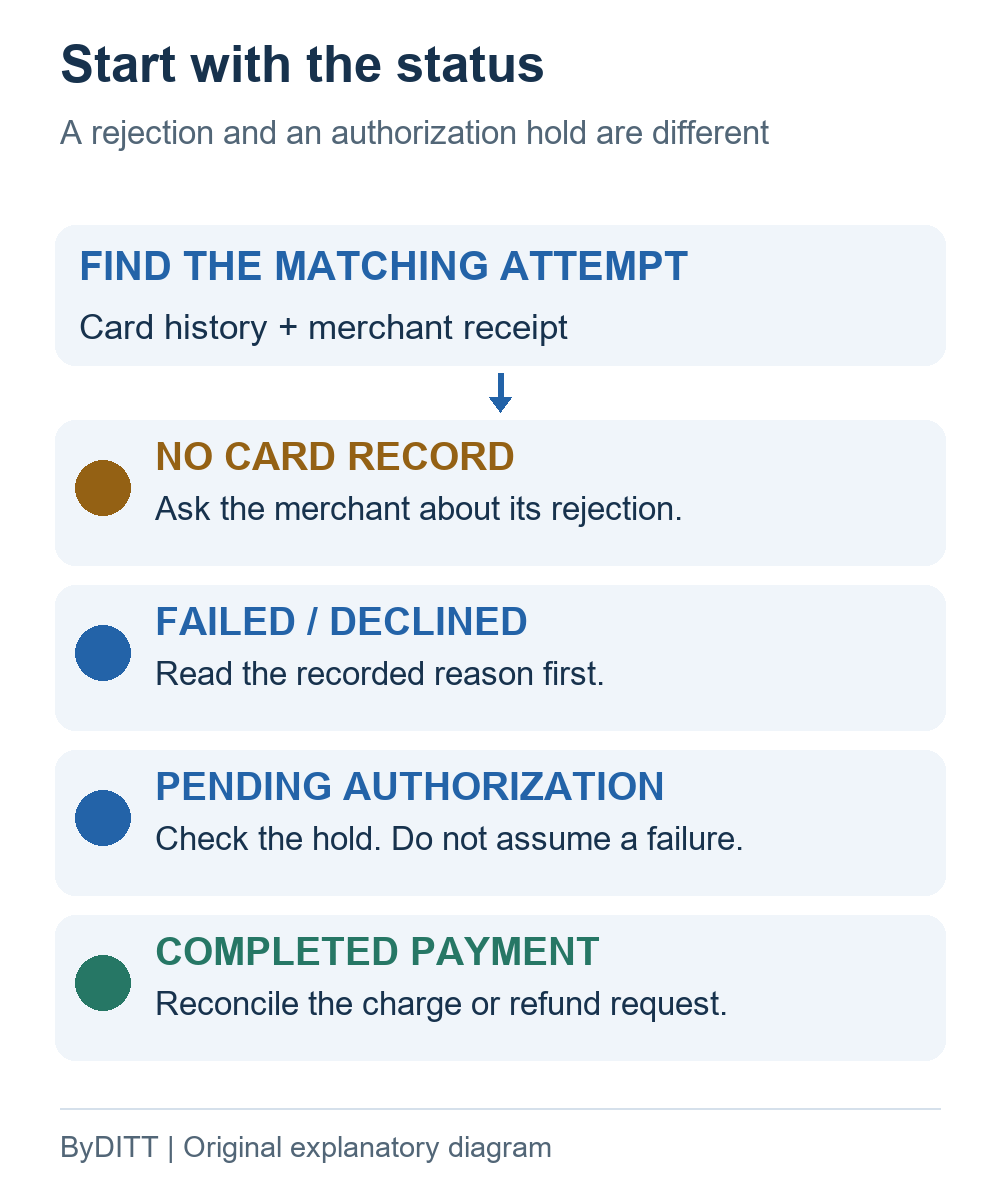
Open My Bybit Card → Full Statement → Transaction History and match the merchant, amount, currency and time. Inspect both the Transaction and Authorization sections rather than relying on a checkout message. The official card-record guide explains these separate records.
ByDITT’s suggested first step is to write down what is known before attempting a fix: “merchant checkout rejected”, “authorization failed”, “authorization pending” or “payment completed”. This prevents a troubleshooting conversation from treating an uncompleted order and a settled charge as the same event. Save the original error text; do not replace it with your own interpretation.
| Observed state | Next check |
|---|---|
| No matching card record | Confirm the time window and card used, then ask the merchant about its checkout rejection. |
| Failed or declined authorization | Read the detailed reason and use the checks below. |
| Pending authorization | Inspect the reservation and merchant order status; do not assume a new payment is needed. |
| Completed payment | Reconcile the receipt and settled charge. A refund or dispute is a different process. |
Why an account balance is not your card Spending Power
Bybit defines Spending Power using available card-base funds and selected payment crypto converted to the base currency. The general card FAQ also describes Funding Account and Flexible Easy Earn balances as sources. That does not make every Earn product, every asset or the entire Unified Trading Account (UTA) automatically available for spending.
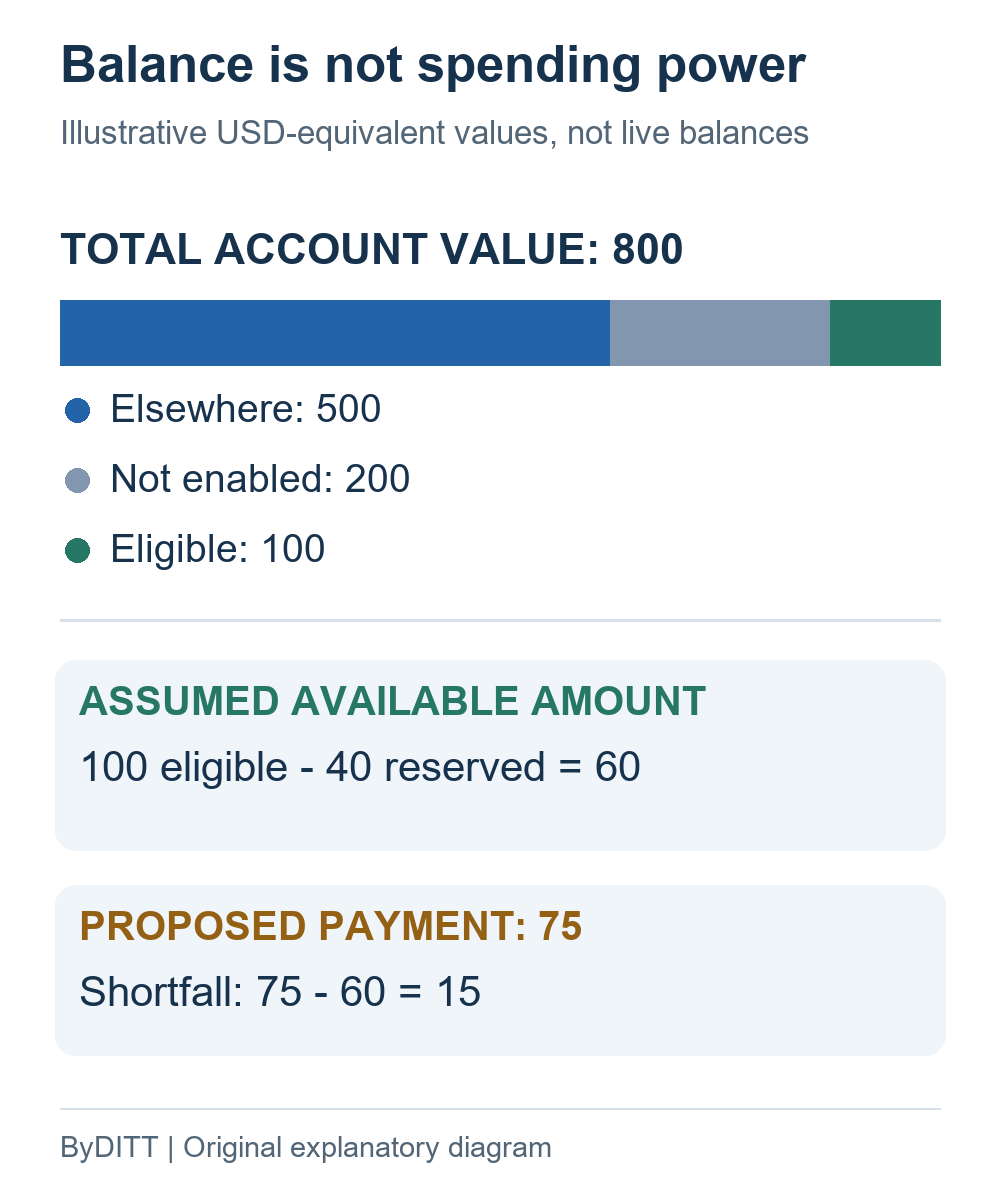
Use the following reconciliation worksheet as an independent checking method, not as Bybit’s calculation formula. For each asset, note its account or product, whether the current card settings enable it, whether it is available rather than reserved, and the currency used for comparison. A portfolio’s estimated value answers a different question from “what can fund this particular authorization now?”
| Assumed item | Amount |
|---|---|
| Assets elsewhere, assumed unavailable to this card | 500 |
| Assets not enabled for this payment | 200 |
| Eligible funds before an existing reserve | 100 |
| Total displayed account value | 500 + 200 + 100 = 800 |
| Assumed existing reserve | 40 |
| Simplified available amount | 100 − 40 = 60 |
| Proposed purchase and shortfall | 75 − 60 = 15 |
In this deliberately simplified example, an 800 total does not fund a 75 payment from the assumed available 60. The example ignores exchange-rate changes, fees, minimum conversion amounts, taxes and any additional authorization buffer. It does not predict an actual approval, describe every card program, or say that the dashboard always subtracts reserves using this formula.
Do not transfer trading collateral simply to test this hypothesis. Moving assets out of a margin account can affect its risk position. First identify the real funding source and any open obligations; if a transfer is appropriate, review its effect separately. Network transfers are another operation with their own checks, covered in the ByDITT deposits and withdrawals guide.
Check the enabled payment asset and actual funding source
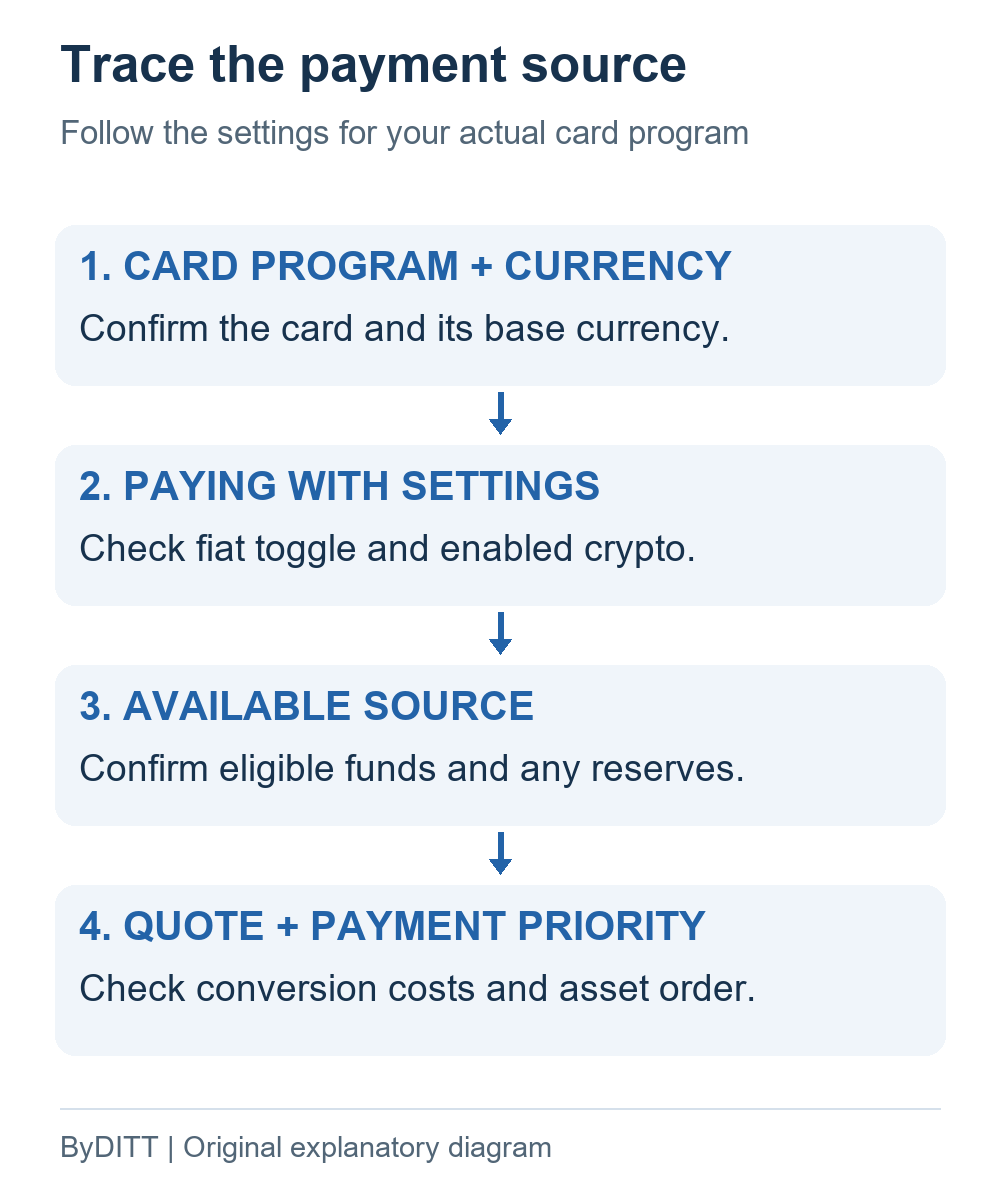
Inspect Paying With on the Card Dashboard. Review the fiat toggle, enabled cryptocurrencies and their priority. Do not assume that a coin visible elsewhere in the exchange has been selected for card payments, or that the default order shown in a general help article is your current order.
The official transaction examples distinguish a card’s base-currency fiat from a different fiat balance and show a decline when the available crypto is not selected for payment. Where eligible fiat is insufficient, enabled crypto may cover a shortfall through conversion. An enabled asset is therefore a separate check from merely owning it.
A useful comparison record has five fields: card program, base currency, enabled source, available amount and payment priority. Compare the same card and the same attempted purchase. A physical card, a virtual card and a saved digital-wallet credential should not be mixed in one record without checking which credential the merchant actually used.
If a conversion would be needed, review the actual quote and relevant fees rather than assuming a stablecoin is always exactly equal to the card currency. For cost layers and regional eligibility, use the separate Bybit Card fees and eligibility guide. This troubleshooting article does not reproduce a universal fee table or recommend obtaining a card.
Read the decline reason: balance is only one possible cause
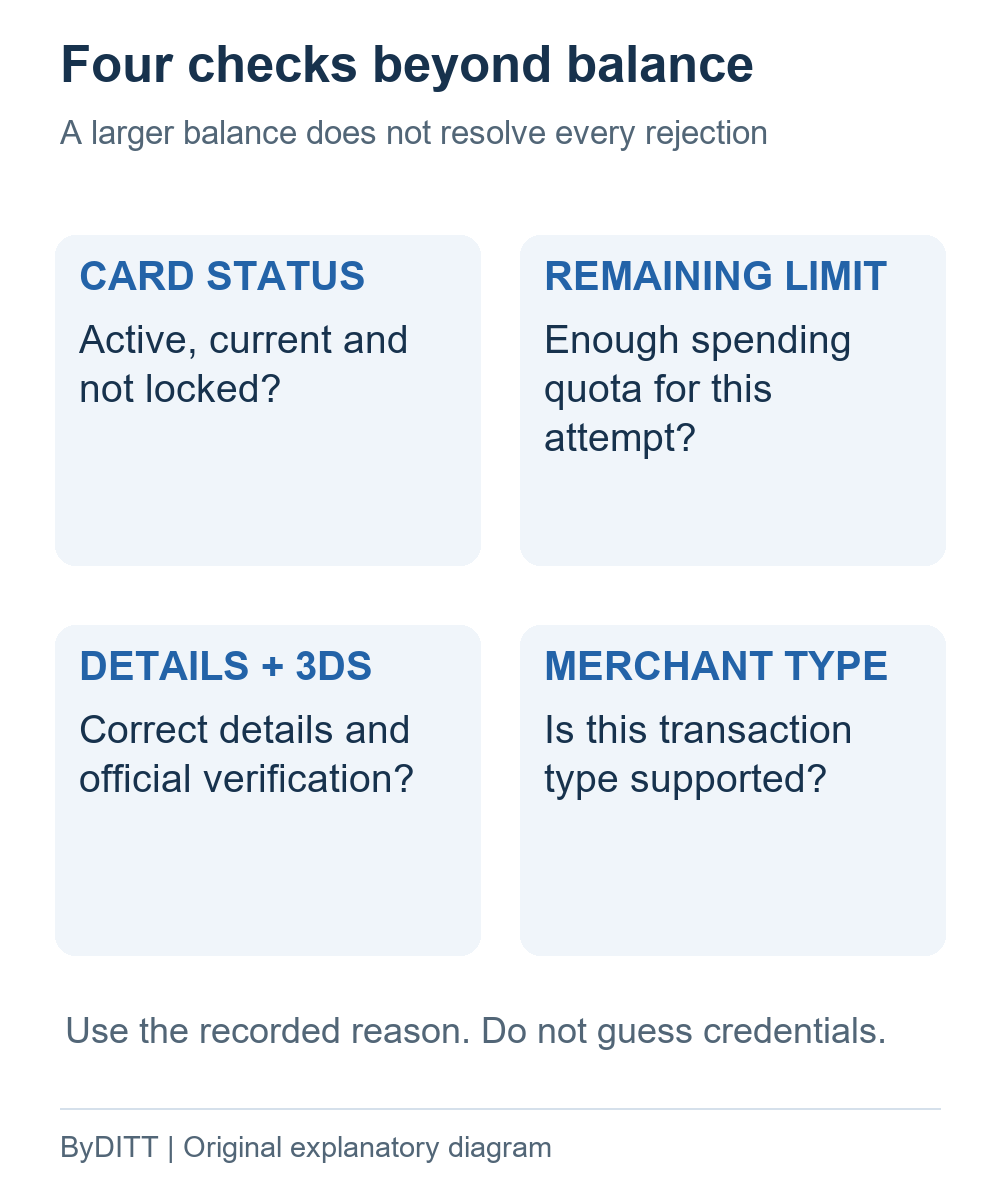
Bybit’s card transaction FAQ directs users to Transaction History → Authorization → Details. Its listed reasons include insufficient Spending Power, card status, limits, incorrect details and unsupported transaction types. The following compact map summarizes checks, not guaranteed fixes.
| Reason category | First check |
|---|---|
| Insufficient Spending Power | Available, enabled funding source. |
| Daily limit exceeded | Card Dashboard → Check Limits. |
| Inactive or expired card | Activation or renewal status. |
| Locked card | Official card-management or support instructions. |
| Incorrect PIN, CVV or expiry | Correct details; stop guessing. |
| Transaction type not allowed | Current merchant-category restrictions. |
ByDITT’s diagnostic recommendation is to change only a setting that addresses the recorded problem. A limit message should not be treated as evidence that the wrong crypto is selected. An incorrect-detail message should not lead to repeatedly guessing a PIN or CVV. If the reason is vague, preserve the evidence and ask the official channel before making several unrelated changes.
For an online attempt, check whether the merchant used saved card details or requested a fresh entry. Keep card details and authentication inside the verified merchant checkout and official app. Do not enter them into an unsolicited “verification” page or approve an unexpected prompt. This is a security check, not an instruction to bypass a rejection.
For regional authentication and contactless procedures, consult the official payment guide. Follow the current flow shown for your card rather than copying another region’s settings. If a security control blocks the attempt, a different residence, false address or alternate identity is not a valid troubleshooting step.
A pending authorization is not the same as a declined payment
The transaction guide explains that an authorization reserves funds before the merchant completes the payment; a reversed authorization releases the reserved amount. A reservation therefore should not automatically be counted as a second settled payment or a permanent fee. Check both the card record and the merchant’s order status before deciding that another attempt is needed.
ByDITT recommends a simple reconciliation log: attempt time and time zone, merchant order reference, currency, authorized amount, final debit if present, and any reversal or refund entry. Compare like-for-like values. A receipt in one currency and an account debit in another cannot be compared as if their numbers used the same unit.
Authorization, reversal and refund are distinct events. A single release deadline cannot safely be inferred for every program or merchant from a generic page. Use the current record and applicable official instructions for the stage involved, and ask for clarification if the merchant and card statements disagree. This article does not promise a release date or a successful dispute.
When to contact the merchant or official Bybit support
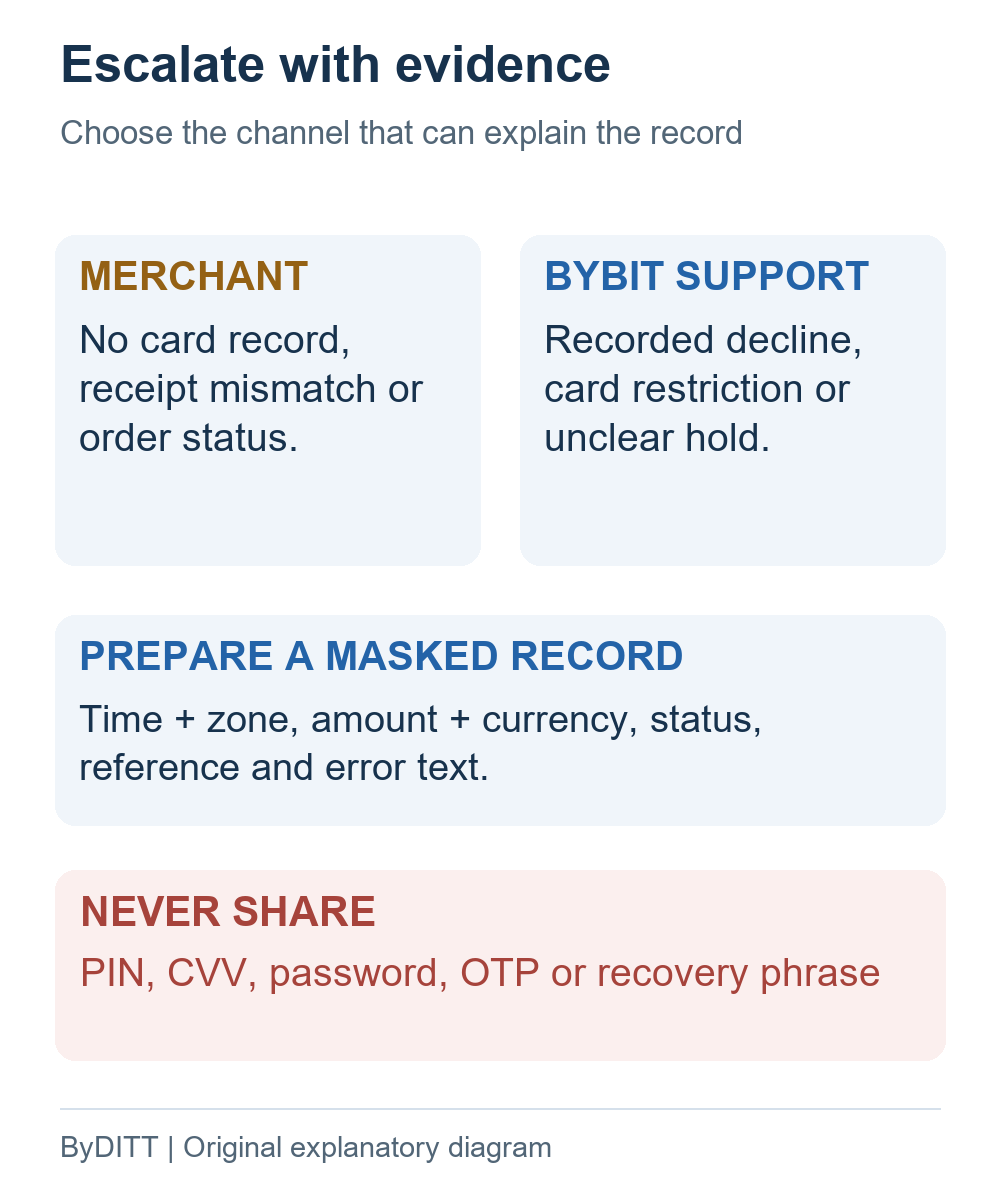
The transaction FAQ distinguishes a merchant-side rejection with no card record from a failure recorded by Bybit. Once you have matched the attempt, direct the question to the party that can explain that record. For a completed charge and a delivery or cancellation issue, explain the order problem to the merchant rather than describing it as an insufficient-balance error.
Prepare a masked evidence pack: time with time zone, merchant name, amount and currency, card program, relevant status, transaction or order reference, exact error text, and a brief list of checks already completed. Crop screenshots to the relevant record and obscure unrelated balances and personal data. Use a secure official support channel for any additional information the provider legitimately requests.
Never share a PIN, CVV, login password, one-time code, private key or recovery phrase with someone offering to unlock a payment. An unsolicited social-media reply is not proof of official support. Start from the app or the official help center yourself. If the transaction is not yours, prioritize the official lost/stolen-card and security process instead of retrying it.
If a settled transaction requires a dispute, review the official dispute guide for eligibility, evidence, possible fees and deadlines. Do not submit a duplicate dispute as an experiment. A declined attempt, a missing refund and an unauthorized settled charge are not interchangeable claims.
Frequently asked questions
Should I add more funds immediately after a decline?
Not without identifying the reason. Write down the status and compare the attempted amount with the correct available source. More funds do not explain an expired card, incorrect details or a merchant-side rejection. A transfer or deposit is a separate decision with costs and risks, not a universal diagnostic step.
Can I count assets in UTA or any Earn product as card funds?
Do not infer availability from the product name or a portfolio total. Match the card’s actual enabled sources to the account or product holding the asset. Flexible Easy Earn appearing in a general FAQ is not evidence that all Earn products or all locked positions can fund your payment.
Does a referral code change a card rejection or limit?
A referral code such as BYBITDC is not evidence that Spending Power, a card limit or merchant acceptance has changed. This guide establishes no card-fee reduction from a code and offers no account-registration link as a solution to a failed payment.
Is this a guide to a bank card being declined when buying crypto?
No. This article addresses a Bybit-issued card used to pay a merchant. An external bank card used to purchase crypto is a different product and payment flow. Identify which card and which checkout you used before applying any troubleshooting guidance.
Sources, verification and editorial limits
Official pages checked on 16 October 2026: Card Transactions FAQ (displayed update 5 October 2026); Card Details and Spending Information (30 September 2026); How Transactions Work (5 October 2026); General Card FAQ (3 September 2026); the payment guide; and the dispute guide linked above. Publication or update dates do not establish identical conditions for every account.
The diagnostic worksheet, simplified arithmetic and five images are original ByDITT explanations. They are not official interface captures, actual account records, a live quote or a report of personal card use. No transaction was performed to test this article. Policies and dashboards can change; confirm conditions in your own eligible account.
Independent-site and affiliate disclosure: ByDITT is an independent educational and affiliate website, not Bybit.com or a card issuer. ByDITT may receive compensation through referral links elsewhere on this site, creating an economic conflict of interest. This article does not recommend applying for a card, funding an account or trading, and does not guarantee approval, savings or problem resolution.
Risk notice: Crypto values and conversion costs can change; custodial funds or payment services can become inaccessible or restricted. Eligibility, regulation and tax treatment vary by jurisdiction. Moving trading collateral can affect margin risk and, where leveraged positions exist, liquidation risk. Keep payment troubleshooting separate from investment decisions. This is general information, not financial, legal or tax advice.